
|
Do it yourself
| |||
| ||||


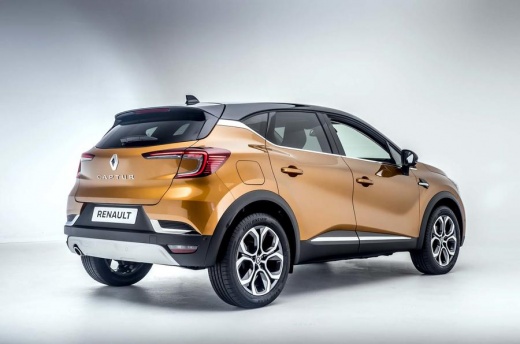
How to Disable Driving Monitoring Alerts on a Renault Captur
Model: Renault Captur
- Years:
2019, 2020, 2021, 2022, 2023, 2024, 2025, 2026
Video tutorial
Today, we will look at the instructions to disable the driving monitoring alerts on the Renault Captur. First, get into the vehicle and start the instrument cluster; then go to the vehicle settings from the central display, selecting the driving assistance option and choose which functions to activate or deactivate regarding driving monitoring, as shown in the video. At this point, you will see on the instrument cluster display which functions are active, changing the settings in the driving assistance menu at any time.
Posted on 13 October 2026 by ScegliAuto
Related tutorials
Renault Captur
(2019-2026 /
MK 2)
Today we will explain how to deactivate the speed limit sound on a Renault Captur vehicle. To perform this simple operation, we must turn on the inst…

Renault Captur
(2019-2026 /
MK 2)
In this guide, you will discover the instructions to activate and deactivate the sounds and alerts on the Renault Captur. First, get inside the vehic…

Renault Captur
(2019-2026 /
MK 2)
What is referred to in the video as "display risk areas" is the speed camera database function built into the system. Disabling it will silence only …
Other guides you may be interested in
|
Frequently Asked QuestionsHow to Set the Date and Time on the Iveco Daily
Today, we will see in this video tutorial how to change the date and time on the Iveco Daily. First, get into the vehicle and turn on the instrument panel; then go to the vehicle settings on the central display, pressing the relevant option for date and time. At this point, press the "set" button located at the top, using the physical arrow buttons to set both the date and time; finally, exit the onboard computer menu to save the changes made! by ScegliAuto More videos
|
|
For advertising on this site Write to info@scegliauto.com
ScegliAuto is not responsible for any inaccuracy of the data in the lists. To report any inaccuracy or your business (if you own the business in question), please write to info@scegliauto.com
Number of seconds to generate the page: 0.019
(c) ScegliAuto 2026 - info@scegliauto.com - Privacy policy VAT number: IT01247470535 |
