
|
Do it yourself
| |||
| ||||


How to Set the Time on a Renault Clio
Model: Renault Clio
Clio IV, MK 4, Clio 4
- Years 2012-2019
Want to set the time or date on your car? Here’s how to do it on a Renault Clio. First, turn on the ignition with the key, then power up the multimedia system; press the system button located above the multimedia system. Scroll through the menu options until you find the time setting option. Adjust the time using the buttons located above the display. Finally, press the button below the time to confirm and exit the settings. Always make adjustments while the vehicle is stationary.
Updated on 13 March 2026 by ScegliAuto
Video tutorial
Related tutorials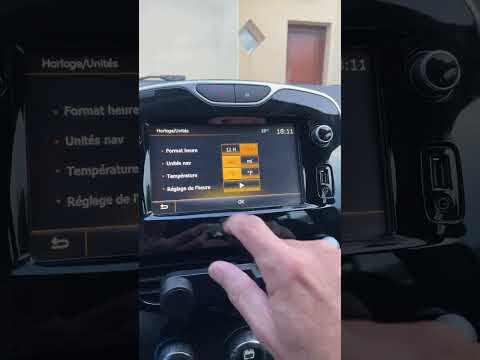
Renault Clio
(2012-2019 /
Clio IV, MK 4, Clio 4)
In this tutorial, you will learn how to set the time in the Renault Clio, a very simple and quick operation to perform, for example, after disconnect…

Renault Clio
(2019-2026 /
Clio V, Clio 5)
This guide provides instructions for setting the date and time on the Renault Clio. First, get in the vehicle and turn on the instrument panel; then …

Renault Clio
(2019-2026 /
Clio V, Clio 5)
In this video tutorial, we will show you how to adjust the clock of the instrument panel of the Renault Clio model 5. Access the settings menu by sel…
Other guides you may be interested in
|
How to Adjust the Brightness of the Instrument Cluster on a Peugeot 3008?
To adjust the brightness of the instrument cluster on a Peugeot 3008, you need to turn on the ignition and access the settings via the menu located in the central area of the dashboard. In the screen that appears, select the "Display Configuration" option: now, by selecting the "Brightness" option, you can adjust it using the dedicated slider that will appear on the screen. The adjustment should be made with the headlights on as well as with them off. Once the adjustment is complete, you can turn off the instrument cluster. by ScegliAuto More videos
|
|
For advertising on this site Write to info@scegliauto.com
ScegliAuto is not responsible for any inaccuracy of the data in the lists. To report any inaccuracy or your business (if you own the business in question), please write to info@scegliauto.com
Number of seconds to generate the page: 0.110
(c) ScegliAuto 2026 - info@scegliauto.com - Privacy policy VAT number: IT01247470535 |
