
|
Do it yourself
| |||
| ||||


How to Install a Navigation System in a Clio 3
Model: Renault Clio
Clio 3, MK 3, Clio III
- Years:
2005, 2006, 2007, 2008, 2009, 2010, 2011, 2012, 2013
Video tutorial
Want to install a new car radio in the dashboard of a Renault Clio? Let's look at how to remove the old car radio. Insert the release keys into the holes on the plastic cover of the radio: pull the radio towards you, being careful of the various wiring (disconnect the power connectors and the antenna reception cable). Install the new original radio or one with a removable display (if you don't want to replace the entire 1 DIN dashboard). Test the operation of the new radio in all its parts.
Updated on 12 April 2026 by ScegliAuto
Related tutorials
Renault Clio
(2012-2019 /
Clio IV, Clio 4, MK 4)
To update the navigation maps on a Renault Clio IV, you need to download the updated map (usually from the official Renault website or the dedicated …

Renault Clio
(2012-2019 /
Clio IV, Clio 4, MK 4)
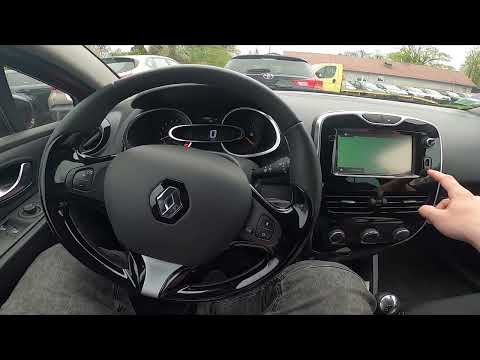
Today's guide will show you how to operate and use the Medianav multimedia system in the Renault Clio, as well as in the Captur. First, get into the …
Renault Clio
(2012-2019 /
Clio IV, Clio 4, MK 4)
In this video, see how to update the maps of the Renault Clio IV: you will need to have it installed on an external memory that can be connected to t…
Other guides you may be interested in
|
How to Set the Time in an Audi A4?
In this tutorial, you will see how to set the time in an Audi A4, a very simple and quick operation to perform after replacing the battery or when the time changes. First, insert the key and turn on the instrument cluster. Then, press the "SETUP" button located on the center console. Next, press the upper left arrow button, navigate to the "Time" option, and use the central knob to adjust the clock. Finally, set any necessary formats and save by returning to the main screen. by ScegliAuto More videos
|
|
For advertising on this site Write to info@scegliauto.com
ScegliAuto is not responsible for any inaccuracy of the data in the lists. To report any inaccuracy or your business (if you own the business in question), please write to info@scegliauto.com
Number of seconds to generate the page: 0.083
(c) ScegliAuto 2026 - info@scegliauto.com - Privacy policy VAT number: IT01247470535 |
