
|
Do it yourself
| |||
| ||||


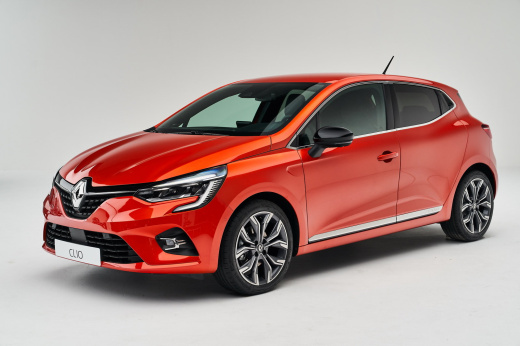
How to replace the antenna in the Renault Clio?
Model: Renault Clio
Clio V, Clio 5
- Years:
2019, 2020, 2021, 2022, 2023, 2024, 2025, 2026
Video tutorial
In this tutorial we can see how to replace the antenna in the Renault Clio, a very simple operation. First of all, make sure that the key is not inserted, so that you can operate safely, then open the trunk door and, by unscrewing the relevant screws, remove both covers of the rear pillars. Subsequently remove the upper gasket of the compartment, extract the plastic rivets for fixing the headliner and separate it from the roof. At this point, all that remains is to unscrew the indicated nut, disconnect the connector and remove the antenna. To install the replacement, simply follow the reverse procedure.
Posted on 27 June 2025 by ScegliAuto
Related tutorials
Renault Clio
(2005-2013 /
Clio 3, MK 3, Clio III)
To replace the antenna of the Renault Clio, you need to grab the old one and rotate it counterclockwise to remove it from its housing. Once the old a…

Renault Clio
(2019-2026 /
Clio V, Clio 5)
Today, install the Shark antenna on a Renault Clio model 5. First, remove the screws on the side covers of the boot to access the vehicle's headlinin…

Renault Clio
(2005-2013 /
Clio 3, MK 3, Clio III)
Below we will see the instructions that will allow us to disassemble and replace the car radio antenna of the Renault Clio, in simple steps. First of…
Other guides you may be interested in
|
How to Set the Clock on a Renault Master 3
This guide shows you how to set a new time on a Renault Master 3. Start by turning on the instrument cluster of the vehicle without starting the engine. Next, using the end of the right-hand steering column stalk, scroll through the options on the display until you reach 'set time', then press the down arrow button to make the displayed time blink. Once this is done, press and hold the down arrow button to change the hour, which you can adjust using the two arrow buttons at the end of the stalk. Once the correct hour is set, press and hold the down arrow button again to move to the minutes. After setting the correct time, restart the vehicle. by ScegliAuto More videos
|
|
For advertising on this site Write to info@scegliauto.com
ScegliAuto is not responsible for any inaccuracy of the data in the lists. To report any inaccuracy or your business (if you own the business in question), please write to info@scegliauto.com
Number of seconds to generate the page: 0.079
(c) ScegliAuto 2026 - info@scegliauto.com - Privacy policy VAT number: IT01247470535 |
