
|
Do it yourself
| |||
| ||||


Removing the Rear Light on Renault Clio 3
Model: Renault Clio
MK 3, Clio 3, Clio III
- Years 2005-2013
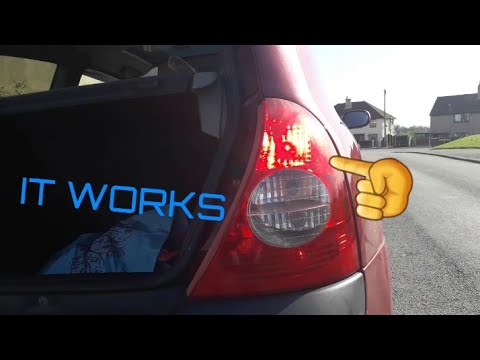
Lift the boot and undo the three bolts securing the rear light to the bodywork. Use a socket with a Torx insert size 20 for this. At this point, it will be easy to pull the light from its housing and disconnect the connector as shown in the video. Now that the light is free, work on the back and unclip the housing (there are five plastic clips) where the bulbs are attached. Replace any burnt-out bulbs and then reverse the process for reassembly, putting the light back in place. Good luck!
Updated on 6 May 2026 by ScegliAuto
Video tutorial
Related tutorials
Renault Clio
(1998-2005 /
Clio 2, MK 2)
Let’s look at removing the rear light of a Renault Clio. Lift the tailgate to access the sides of the boot and locate the screws securing the light. …
Renault Clio
(1998-2005 /
Clio 2, MK 2)
How to remove the rear light on a Renault Clio? Let's see how to do it. Open the boot lid, undo the plastic screw located above the fabric lining. On…

Renault Clio
(2005-2013 /
MK 3, Clio 3, Clio III)
Disassembling the rear light of your Renault Clio Mk3 is very simple and to complete the operation you just need to follow a few simple steps. Let's …
Other guides you may be interested in
|
Where is the Fuel Filter Located in a Volvo XC60?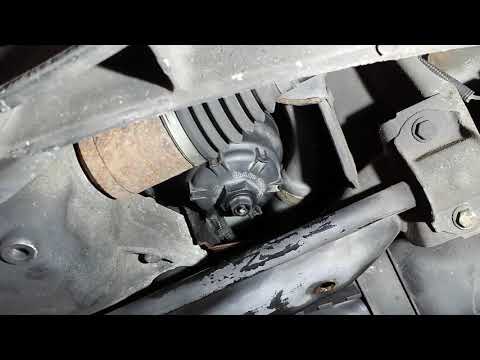
In this video, you will see where the fuel filter is located in a Volvo XC60 and how to proceed if you need to replace it. As shown, the filter is positioned at the lower part of the engine, right between the left half-shaft and the sway bar attachment. To replace the filter, first, go underneath the vehicle, taking all necessary safety precautions. Then, using an 18mm wrench, open the drain valve and allow any water present to escape. Next, unscrew the housing, remove the old filter, insert the replacement along with a new gasket, and reassemble everything. by ScegliAuto More videos
|

|
For advertising on this site Write to info@scegliauto.com
ScegliAuto is not responsible for any inaccuracy of the data in the lists. To report any inaccuracy or your business (if you own the business in question), please write to info@scegliauto.com
Number of seconds to generate the page: 0.701
(c) ScegliAuto 2026 - info@scegliauto.com - Privacy policy VAT number: IT01247470535 |
