
|
Do it yourself
| |||
| ||||


Instructions for Removing the Rear Bumper
Model: Renault Clio
MK 2, Clio 2
- Years:
1998, 1999, 2000, 2001, 2002, 2003, 2004, 2005
Video tutorial
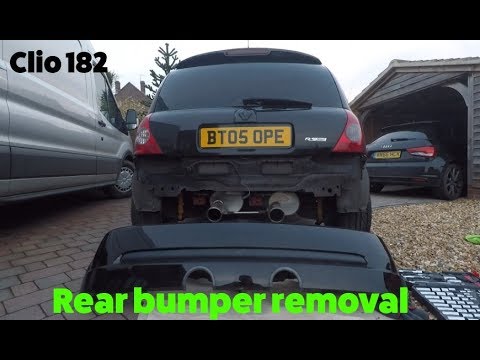
Place wheel chocks under the front wheels of the vehicle to safely lift the rear on suitable car stands; then remove the rear wheels (loosen the wheel fixing nuts before lifting the vehicle), the plastic wheel arch liners, and the Torx screws securing the bumper along the lower edge and the closure line of the bonnet. Next, remove the fixing pins for the bumper supports (two pins per side using a 10mm socket), remove the number plate light, and complete the removal of the bumper by carefully pulling it away from its housing.
Updated on 9 February 2026 by ScegliAuto
Related tutorials
Renault Clio
(2005-2013 /
Clio 3, MK 3, Clio III)
In this guide, we will see the main instructions that will allow us to disassemble and remove the rear seats of the Renault Clio, in simple steps. Fi…

Renault Clio
(2005-2013 /
Clio 3, MK 3, Clio III)
Let's discover the steps and instructions that will allow us to remove and replace the rear bumper of the Renault Clio in simple steps. First, open t…
Renault Clio
(1998-2005 /
MK 2, Clio 2)
Removing the damaged bumper from a Renault Clio, here's how to do it. Use a screwdriver or battery-powered screwdriver to unscrew the securing pins l…
Other guides you may be interested in
|
How to reset the tyre pressure warning light on the Dacia Sandero?
The tyre pressure warning light that appears on the instrument cluster of the Dacia Sandero can be reset by inflating the tyres until they reach the correct pressure value: this value is indicated on the sticker attached to the driver’s door pillar. Once the inflation is complete, navigate through the menu that appears on the instrument cluster to find the option related to the tyres: select this with the OK button, which should then be held down for a few seconds to completely turn off the light. by ScegliAuto More videos
|
For advertising on this site Write to info@scegliauto.com
ScegliAuto is not responsible for any inaccuracy of the data in the lists. To report any inaccuracy or your business (if you own the business in question), please write to info@scegliauto.com
Number of seconds to generate the page: 0.027
(c) ScegliAuto 2026 - info@scegliauto.com - Privacy policy VAT number: IT01247470535 |
