
|
Do it yourself
| |||
| ||||


How to Remove Door Trims
Model: Renault Clio
MK 2, Clio 2
- Years:
1998, 1999, 2000, 2001, 2002, 2003, 2004, 2005
Video tutorial
To remove the trims on the door, first locate the screw on the side edge of the door. Usually, the screw is protected by a rubber cap, and to remove it, use a plastic tool to avoid damaging the paint. Once done, slide the trim back a few centimetres and then lift it from its seat. If you want to remove the logo as well, use a thin screwdriver to disengage the retaining clips. The same technique applies to the rear doors. To reassemble, the process will obviously be the reverse, and the trim should be placed and slid forward to secure it.
Updated on 10 February 2026 by ScegliAuto
Related tutorials
Renault Clio
(1998-2005 /
MK 2, Clio 2)
To remove the dashboard, open the glove compartment and remove the upper plastic trim. To avoid marks, use a plastic tool to also remove the trim on …

Renault Clio
(2012-2019 /
Clio IV, Clio 4, MK 4)
In this video, discover how to apply chrome trims to the windows of the Renault Clio IV. You can find the parts on the luxelleurope.uk website by sea…
Renault Clio
(1998-2005 /
MK 2, Clio 2)
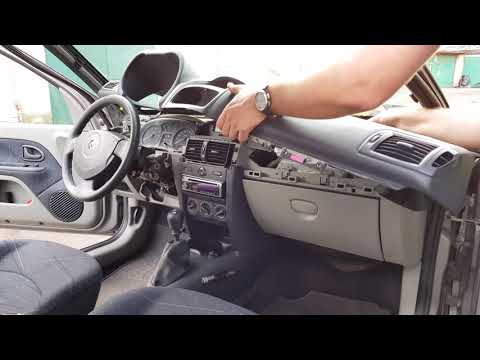
As the video shows, start by removing the rubber trims on the driver's and passenger's sides. Once done, work on the pillars that are secured with cl…
Other guides you may be interested in |
How to reset the tyre pressure warning light on the Kia Niro EV?
To reset the tyre pressure warning light on the Kia Niro EV, inflate the tyres until they reach the correct pressure value. This value is indicated on the sticker attached to the driver's door pillar. Once the tyres are inflated, turn on the instrument cluster to check that the warning light has completely disappeared from the display. If it is still present, you may need to drive for a few miles to ensure it disappears completely from the screen. by ScegliAuto More videos
|
|
For advertising on this site Write to info@scegliauto.com
ScegliAuto is not responsible for any inaccuracy of the data in the lists. To report any inaccuracy or your business (if you own the business in question), please write to info@scegliauto.com
Number of seconds to generate the page: 0.036
(c) ScegliAuto 2026 - info@scegliauto.com - Privacy policy VAT number: IT01247470535 |
