
|
Do it yourself
| |||
| ||||


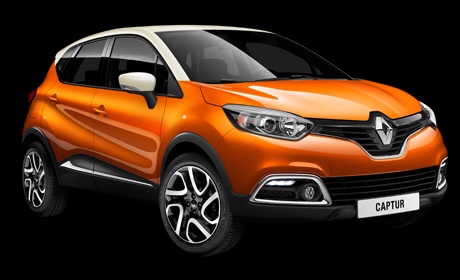
How to Change the Remote Battery in the Renault Captur
Model: Renault Captur
MK 1
- Years:
2013, 2014, 2015, 2016, 2017, 2018, 2019
Video tutorial
To change the battery in the Renault Captur remote, remove the key by pressing the button on the side and extracting the key. Using a flathead screwdriver, insert it into the slot where the key was and lever upwards to remove the circular part of the remote. Insert the small flathead screwdriver where the battery is located to extract it. At this point, take the new battery, remove it from the packaging, and insert it in place of the old battery. Now, replace the battery cover, reinsert the key, and finally test the remote with the new battery.
Updated on 4 June 2026 by ScegliAuto
Related tutorials
Renault Captur
(2019-2026 /
MK 2)
Replacing the battery of the key remote of a Renault Captur car is quite simple. Take the vehicle remote and apply pressure by sliding the part of th…

Renault Captur
(2013-2019 /
MK 1)
In this article, with the help of the video, you will see how to replace the remote and key battery for the Renault Captur. The procedure requires no…
Renault Captur
(2013-2019 /
MK 1)
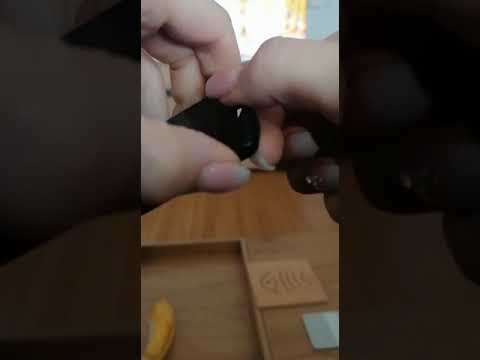
To replace the remote battery of the Renault Captur, press the button on the side of the device to extract the key from the top. Once extracted, remo…
Other guides you may be interested in
|
How to Reset the Tyre Pressure Warning Light on the Jeep Renegade?
To reset the tyre pressure warning light on the Jeep Renegade, inflate the tyres until they reach the recommended pressure: this value is indicated on the sticker attached to the driver’s door pillar. Once the tyres are properly inflated, navigate through the menu that appears on the instrument cluster until you find the tyre pressure option. At this point, press and hold the OK button on the right side of the steering wheel to make the warning light disappear. by ScegliAuto More videos
|
|
For advertising on this site Write to info@scegliauto.com
ScegliAuto is not responsible for any inaccuracy of the data in the lists. To report any inaccuracy or your business (if you own the business in question), please write to info@scegliauto.com
Number of seconds to generate the page: 0.108
(c) ScegliAuto 2026 - info@scegliauto.com - Privacy policy VAT number: IT01247470535 |
