
|
Do it yourself
| |||
| ||||


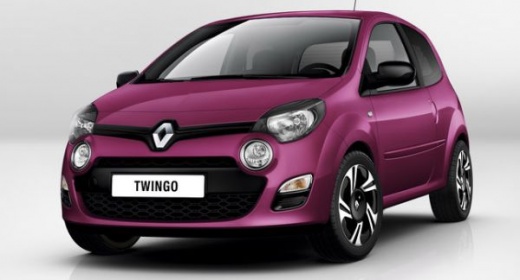
How to Change the Cabin Air Filter in the Renault Twingo II?
Model: Renault Twingo
Twingo 2
- Years:
2007, 2008, 2009, 2010, 2011, 2012, 2013, 2014
Video tutorial
Let's see how to change the cabin air filter (also known as the pollen filter) in a Renault Twingo II. This is located under the dashboard on the passenger side. At the base of the filter, you will find a plastic tab. Pull it upwards, then pull it downwards to remove it. (You can find the complete pollen filter with its plastic tab on eBay for £6.00 plus shipping): before replacing the filter, if possible, give the area where the filter was housed a spray with compressed air to clean it of dust and impurities. Pay attention to the installation direction. The arrows must always point downwards. Push it into its housing and close it. Operation completed.
Updated on 7 August 2026 by ScegliAuto
Related tutorials
Renault Twingo
(2007-2014 /
Twingo 2)
In this tutorial video, see how to replace the pollen filter on a Renault Twingo by following these essential steps: first, purchase a new pollen fil…

Renault Twingo
(2014-2024 /
Twingo III, Twingo 3)
The author of this video shows us where the pollen filter is located on a Renault Twingo and how to access it for inspection or replacement. As we ca…

Renault Twingo
(2014-2024 /
Twingo III, Twingo 3)
To change the cabin air filter in a third-generation Renault Twingo, fully slide the passenger seat back and lower the backrest to work with more spa…
Other guides you may be interested in
|
How to reset the tyre pressure warning light on the Kia Niro EV?
To reset the tyre pressure warning light on the Kia Niro EV, inflate the tyres until they reach the correct pressure value. This value is indicated on the sticker attached to the driver's door pillar. Once the tyres are inflated, turn on the instrument cluster to check that the warning light has completely disappeared from the display. If it is still present, you may need to drive for a few miles to ensure it disappears completely from the screen. by ScegliAuto More videos
|
|
For advertising on this site Write to info@scegliauto.com
ScegliAuto is not responsible for any inaccuracy of the data in the lists. To report any inaccuracy or your business (if you own the business in question), please write to info@scegliauto.com
Number of seconds to generate the page: 0.143
(c) ScegliAuto 2026 - info@scegliauto.com - Privacy policy VAT number: IT01247470535 |
