
|
Do it yourself
| |||
| ||||


Replacing Brake Fluid with a Vacuum Pump
Model: Renault Clio
MK 2, Clio 2
- Years:
1998, 1999, 2000, 2001, 2002, 2003, 2004, 2005
Video tutorial
Assemble the vacuum pumping system, open the bonnet, and disconnect the connector from the brake fluid reservoir. Now, using the vacuum pump, extract all the fluid present and replace it with new fluid. Remove the relevant wheel and disconnect the cap covering the bolt to open the brake fluid circuit. Connect the pump and extract the air present in the circuit. Once finished, while maintaining the vacuum in the circuit with the pump attached, screw the bolt to close the circuit. You can now refit the wheel and fill the reservoir that has emptied in the meantime. Repeat the same procedure for the other wheels.
Updated on 23 February 2026 by ScegliAuto
Related tutorials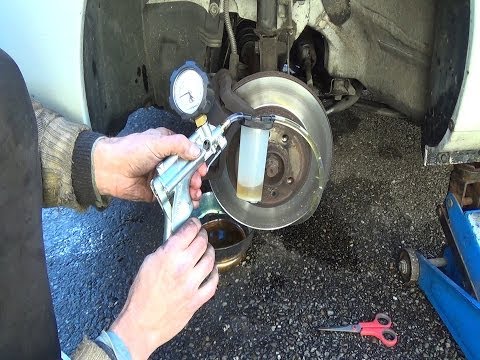
Renault Clio
(1998-2005 /
MK 2, Clio 2)
Firstly, it can be useful to periodically replace the brake fluid, which over time, due to thermal cycles, may deteriorate. Obtain a vacuum pump to e…

Renault Clio
(2005-2013 /
Clio 3, MK 3, Clio III)
To bleed the clutch on a Renault Clio, open the bonnet to access the components located in the engine bay: here, you will need to undo the screws tha…
Renault Clio
(2005-2013 /
Clio 3, MK 3, Clio III)
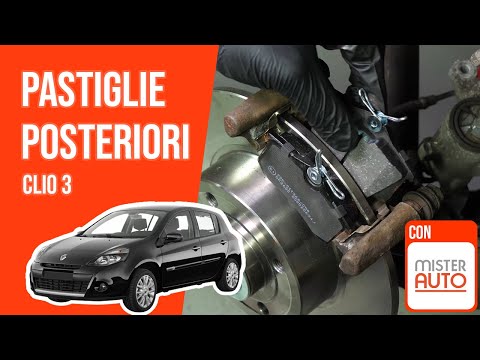
In this video, learn how to change the rear brake pads on a Renault Clio III: open the bonnet and the brake fluid reservoir. You will need to lift th…
Other guides you may be interested in
|
Where are the fuses located on the Renault Laguna?
On the Renault Laguna, the fuses are located inside the fuse boxes installed in the vehicle: in this car model, you will find two boxes for containing the fuses. The first is in the fuse box on the left side of the dashboard, accessible by opening the driver's door: here you will find the fuses for the windscreen wipers, fog lights, horn, etc. The second box is located on the right side of the engine compartment: here you will find the fuses for the dipped headlights, radiator fan, alternator, etc. by ScegliAuto More videos
|
|
For advertising on this site Write to info@scegliauto.com
ScegliAuto is not responsible for any inaccuracy of the data in the lists. To report any inaccuracy or your business (if you own the business in question), please write to info@scegliauto.com
Number of seconds to generate the page: 0.030
(c) ScegliAuto 2026 - info@scegliauto.com - Privacy policy VAT number: IT01247470535 |
