
|
Do it yourself
| |||
| ||||


How do you reset the tire pressure light in the Renault Captur?
Model: Renault Captur
MK 2
- Years 2019-2026
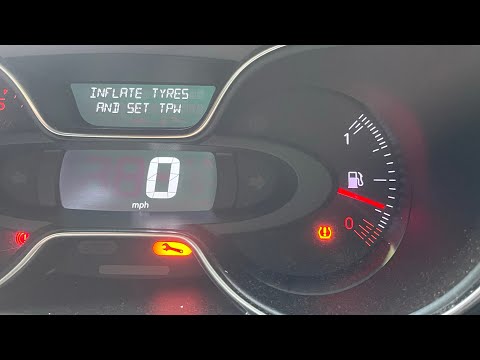
It is customary, in recently built cars, to be able to monitor the tire inflation pressure through sensors installed inside them. The warning light illuminates when there is an anomaly, such as a deflated tire or a puncture. After restoring the tire pressure, we proceed to cancel the aforementioned warning light, and in the video we see how: Turn on the instrument panel, press the down arrow button and access the Settings, select the Tmps option and finally hold down the Ok button for a few seconds, allowing the on-board computer to cancel the warning light.
Posted on 29 May 2024 by ScegliAuto
Video tutorial
Related tutorials
Renault Captur
(2019-2026 /
MK 2)
If the tire pressure warning light on your Renault Captur comes on, it is not always a serious fault, but it could just be an indication that the tir…

Renault Captur
(2013-2019 /
MK 1)
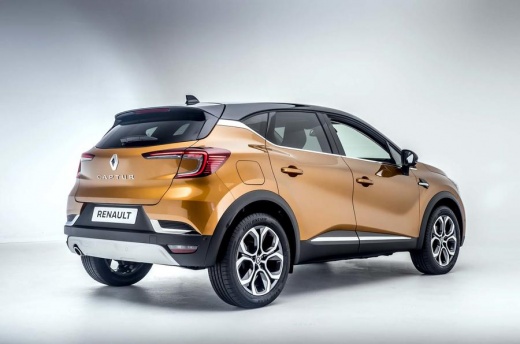
Below we discover the instructions that will show us how to reset the tire pressure warning light (TPMS) of the Renault Captur, but also of the Clio;…
Renault Captur
(2013-2019 /
MK 1)
Resetting the tyre warning light on the Renault Captur, as shown in this tutorial, is an extremely simple and quick operation. Before proceeding, ens…
Other guides you may be interested in
|
How to Bleed the Clutch on a Renault Clio?
To bleed the clutch on a Renault Clio, open the bonnet to access the components located in the engine bay: here, you will need to undo the screws that secure the battery in its housing, the intake manifold, and the coolant reservoir. This will allow you to locate the pipe through which the brake fluid flows: by inserting the other end of the pipe into a container, you can press the clutch pedal to expel all the fluid until it fills the container. by ScegliAuto More videos
|
|
For advertising on this site Write to info@scegliauto.com
ScegliAuto is not responsible for any inaccuracy of the data in the lists. To report any inaccuracy or your business (if you own the business in question), please write to info@scegliauto.com
Number of seconds to generate the page: 0.594
(c) ScegliAuto 2026 - info@scegliauto.com - Privacy policy VAT number: IT01247470535 |
