
|
Do it yourself
| |||
| ||||


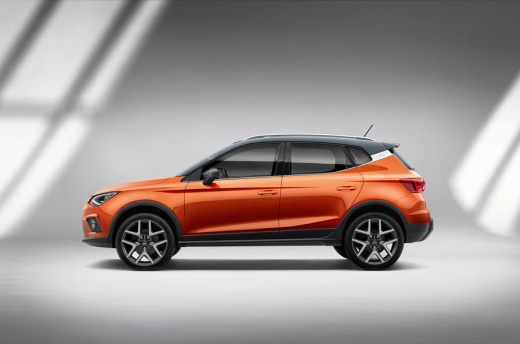
How to change the language of the multimedia system in the Seat Arona
Model: Seat Arona
MK 1
- Years:
2017, 2018, 2019, 2020, 2021, 2022, 2023, 2024, 2025, 2026
Video tutorial
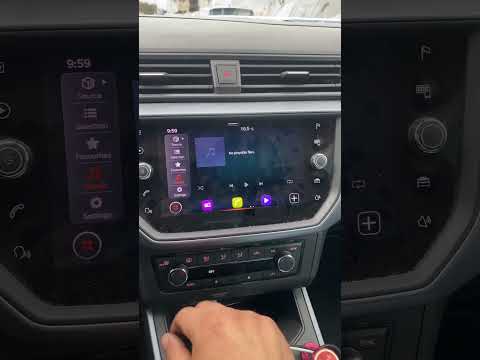
Today we will discover the instructions that will allow us to change the language of the multimedia system of the Seat Arona, as well as the Ibiza. First of all, we get into the car and start the instrument panel; then we go to the car settings from the central display and scroll through the options until we reach the language one, as shown in the video. At this point, we select the preferred language and then set it, waiting for the system to update the language on the instrumentation; finally, we exit the settings menu, turn off the panel, and start the engine!
Posted on 4 December 2024 by ScegliAuto
Related tutorials
Seat Arona
(2017-2026 /
MK 1)
You can change the language of the on-board computer in the Seat Arona by turning on the instrument cluster, inserting the ignition key into the corr…
Seat Arona
(2017-2026 /
MK 1)
To change the language of the onboard computer on the Seat Arona, turn on the instrument panel and then press the applications icon on the display in…

Seat Arona
(2017-2026 /
MK 1)
In this tutorial we will see the steps to follow in order to change the language in a Seat Arona car. Get into the vehicle, insert the key in the app…
Other guides you may be interested in
|
How to Change the Time on the Peugeot 208
Today's guide will show you how to set the clock on the Peugeot 208's onboard computer, following the instructions below. First, get in the car and turn on the instrument panel; then press and hold the settings button on the panel for a few seconds until the time starts to flash, as shown in the video. At this point, press the left button to correctly set the time, adjusting the hour first and then the minutes; exit the onboard computer menu to save all the changes made! by ScegliAuto More videos
|
|
For advertising on this site Write to info@scegliauto.com
ScegliAuto is not responsible for any inaccuracy of the data in the lists. To report any inaccuracy or your business (if you own the business in question), please write to info@scegliauto.com
Number of seconds to generate the page: 0.033
(c) ScegliAuto 2026 - info@scegliauto.com - Privacy policy VAT number: IT01247470535 |
