
|
Do it yourself
| |||
| ||||


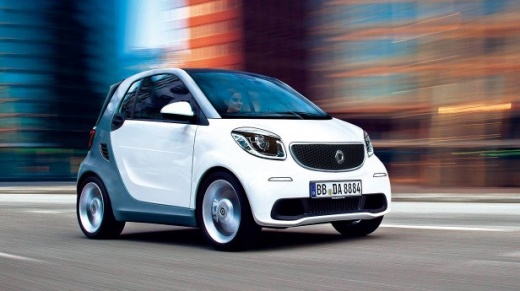
How to reset the service light on the 2017 Smart car?
Model: Smart Smart
453
- Years:
2014, 2015, 2016, 2017, 2018, 2019, 2020, 2021, 2022
Video tutorial
Let's discover how to reset the service light of the 2017 Smart, after completing the routine maintenance required by the manufacturer, whenever a certain mileage interval is reached. Here is the sequence: turn on the instrument panel, access the Settings using the directional buttons on the left side of the steering wheel, choose the option related to the Service and hold down the Ok button for twenty seconds, also located on the aforementioned steering wheel. The anomaly will be reset and at the same time the new service deadline will be reprogrammed. Job done.
Posted on 19 September 2025 by ScegliAuto
Related tutorials
Smart
(2007-2015 /
451)
In this new guide aimed at all of you who own a Smart 451, we will describe the steps you need to take if you intend to manually reset the service li…

Smart
(2014-2022 /
453)
In this tutorial we can see how to reset the service in the Smart ForTwo, an extremely simple and quick operation, to be carried out only once all sc…

Smart
(2014-2022 /
453)
These short and simple instructions will allow us to reset the maintenance reminder (service) on the Smart Forfour, as well as on the Fortwo. First o…
Other guides you may be interested in
|
Frequently Asked QuestionsHow to Open the Fuel Flap and Cap on an MG HS
This guide will show you how to open the fuel flap and cap on an MG HS in simple steps. To open the fuel flap, ensure the vehicle is unlocked; then press on the edge of the flap to open it, as shown in the video. Next, unscrew the fuel cap counterclockwise to refuel at the pump; once finished, screw the cap back on until it clicks, and finally close the fuel flap! by ScegliAuto More videos
|
|
For advertising on this site Write to info@scegliauto.com
ScegliAuto is not responsible for any inaccuracy of the data in the lists. To report any inaccuracy or your business (if you own the business in question), please write to info@scegliauto.com
Number of seconds to generate the page: 0.072
(c) ScegliAuto 2026 - info@scegliauto.com - Privacy policy VAT number: IT01247470535 |
