
|
Do it yourself
| |||
| ||||


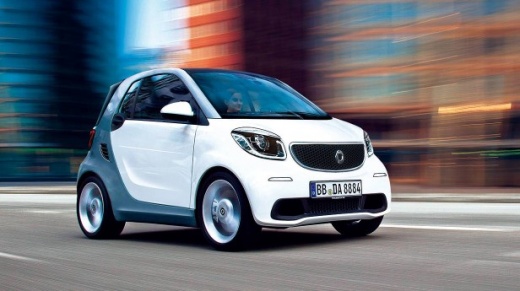
How do you open the fuel tank cap of the Smart?
Model: Smart Smart
453
- Years:
2014, 2015, 2016, 2017, 2018, 2019, 2020, 2021, 2022
Video tutorial
There is absolutely nothing complicated about the operation described above; it is truly within everyone's reach, with zero difficulty. When the need arises to refuel the vehicle, upon arriving at the gas station, we will simply need to open the cap cover of the fuel tank by pushing it slightly and then lifting it. After this, we unscrew the cap to gain access to the point where the fuel dispenser nozzle connects. Let’s remember that when we unlock the vehicle, the central locking system also controls the aforementioned cap cover, locking and unlocking it.
Posted on 16 December 2025 by ScegliAuto
Related tutorials
Smart
(2014-2022 /
453)
Let’s see how to open the fuel filler cap for refuelling on a Smart Fortwo. First, open the fuel flap located on the left side of the car's body (ins…

Smart
(2014-2022 /
453)
This brief guide explains how to open the fuel cap and refuel the Smart Fortwo. First, move to the right side of the vehicle and begin by opening the…

Smart
(2007-2015 /
451)
How do you top up the coolant on a Smart? Engineers have hidden the coolant opening. It is usually found behind the front bumper or under an engine c…
Other guides you may be interested in |
How to reset the tyre pressure warning light on the Kia Niro EV?
To reset the tyre pressure warning light on the Kia Niro EV, inflate the tyres until they reach the correct pressure value. This value is indicated on the sticker attached to the driver's door pillar. Once the tyres are inflated, turn on the instrument cluster to check that the warning light has completely disappeared from the display. If it is still present, you may need to drive for a few miles to ensure it disappears completely from the screen. by ScegliAuto More videos
|
|
For advertising on this site Write to info@scegliauto.com
ScegliAuto is not responsible for any inaccuracy of the data in the lists. To report any inaccuracy or your business (if you own the business in question), please write to info@scegliauto.com
Number of seconds to generate the page: 0.061
(c) ScegliAuto 2026 - info@scegliauto.com - Privacy policy VAT number: IT01247470535 |
