
|
Do it yourself
| |||
| ||||


In the Smart Forfour, how do you reset the service light?
Model: Smart Smart
453
- Years 2014-2022
It should be noted that the tutorial video presented here is relevant for both the Smart Forfour in question and the Smart Fortwo series 453. It details what is meant by a service, or part of it, as the engine oil always needs to be replaced, while in addition, as in this case, other interventions could also be added, such as the air filter and cabin filter. Well, now that this has been clarified, let's move on to the next phase, turning off the aforementioned warning light: we turn on the instrument panel, use the buttons on the left side of the steering wheel to access the Settings, look for the Service option, and when prompted to Reset, we hold down the Ok button for about twenty seconds.
Posted on 30 December 2025 by ScegliAuto
Video tutorial
Related tutorials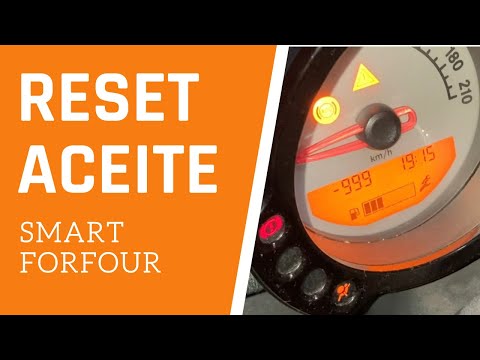
Smart
(2004-2006 /
454, Fourfour1)
We follow the procedure explained by the author of this video to reset the service light on a Smart Forfour, specifically the model produced between …

Smart
(2014-2022 /
453)
In this tutorial, we can see how to reset the service in the Smart ForFour, an extremely simple and quick operation, to be carried out only once all …

Smart
(2014-2022 /
453)
In this tutorial, we can see how to reset the service in the Smart ForFour, an extremely simple and quick operation, to be carried out only once all …
Other guides you may be interested in
|
How to Remove the Oil Filter on a Toyota Yaris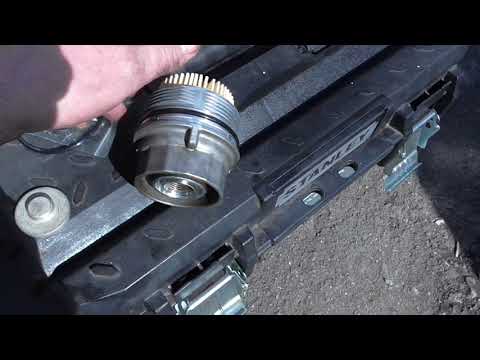
How to remove the oil filter on a Toyota Yaris? This is a simple operation if you follow the correct steps. Lift the car using a column lift or jack. After removing the cover panel (if present), use a socket spanner to unscrew the oil filter holder. Allow the oil to drain into a container for disposal. Remove the dirty and worn filter from the metal container; clean the container and insert a new filter. Screw the filter holder back into its designated housing using the appropriate spanner and lower the car once the job is complete. by ScegliAuto More videos
|

|
For advertising on this site Write to info@scegliauto.com
ScegliAuto is not responsible for any inaccuracy of the data in the lists. To report any inaccuracy or your business (if you own the business in question), please write to info@scegliauto.com
Number of seconds to generate the page: 0.135
(c) ScegliAuto 2026 - info@scegliauto.com - Privacy policy VAT number: IT01247470535 |
