
|
Do it yourself
| |||
| ||||


How to Program the Smart ForTwo Key?
Model: Smart Smart
451
- Years 2007-2015
You can code the Smart ForTwo key using a diagnostic tool: insert the key into the ignition slot located on the centre tunnel and then connect the scanner to the vehicle's OBD port. At this point, select the car model in question and the corresponding version, following all instructions provided in the user and maintenance manual. Once the operation is complete, you can disconnect the scanner from the port and verify that the key is functioning.
Posted on 16 February 2026 by ScegliAuto
Video tutorial
Related tutorials
Smart
(2007-2015 /
451)
Below we will see the main instructions that will allow us to program the remote control of the Smart Fortwo key. In order to program the remote cont…

Smart
(1998-2007 /
450)
Today's main instructions will show us how to program the ignition key of the Smart Fortwo. In order to program the key, it is necessary to use a spe…

Smart
(2007-2015 /
451)
In this short and simple guide, we will see the instructions that will allow us to program the ignition key of the Smart Fortwo. First of all, we get…
Other guides you may be interested in
|
Frequently Asked QuestionsHow to Replace the Handbrake Button on a Renault Scenic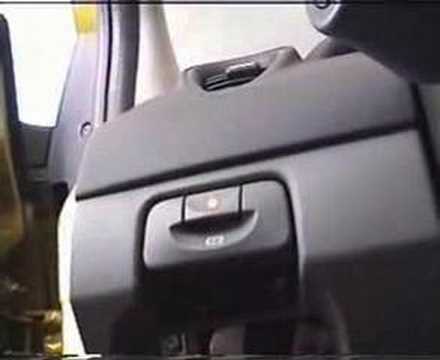
To remove the handbrake, start by taking off the lower parts, beginning with the side panel. Use a plastic lever to lift the panel. Now, to remove the glove compartment, open it and pull it towards you. Next, remove the brightness controls for the dashboard and external lights. You can extract it by pushing from the inside and disconnect the plugs at the back. This allows you to unscrew the bolts securing the handbrake lever. Now, remove the screw that secures the panel where the handbrake is attached. You can now gently pull out the handbrake and disconnect the plug at the back. by ScegliAuto More videos
|

|
For advertising on this site Write to info@scegliauto.com
ScegliAuto is not responsible for any inaccuracy of the data in the lists. To report any inaccuracy or your business (if you own the business in question), please write to info@scegliauto.com
Number of seconds to generate the page: 0.100
(c) ScegliAuto 2026 - info@scegliauto.com - Privacy policy VAT number: IT01247470535 |
