
|
Do it yourself
| |||
| ||||


How to Remove the Door Panels on a Smart
Model: Smart Smart
450
- Years:
1998, 1999, 2000, 2001, 2002, 2003, 2004, 2005, 2006, 2007
Video tutorial
First, as with any maintenance operation on a car, position your Smart on a ramp or flat surface. This precaution is necessary for safety and stability while working. Next, use the appropriate Torx key to loosen the screws securing the handle and pocket on the panel you need to remove. Now, proceed to remove the panel by gently prying along its perimeter with a screwdriver to release the clips holding it in place. That's it! To reassemble or fit a new panel, reverse the steps just described.
Updated on 29 March 2026 by ScegliAuto
Related tutorials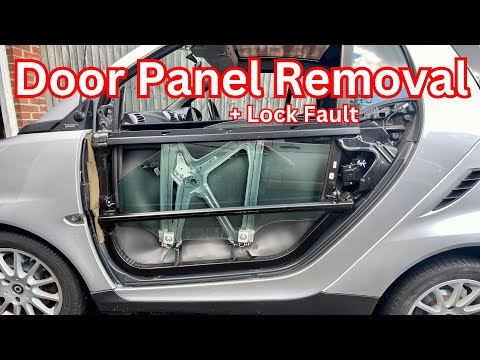
Smart
(2007-2015 /
451)
These brief steps will show you how to remove and replace the outer door panel on a Smart Fortwo. First, open the front door and start unscrewing the…

Smart
(2007-2015 /
451)
This guide provides the main instructions on how to remove and replace the front door panel of the Smart Fortwo. First, open the front door of the ve…
Smart
(2007-2015 /
451)
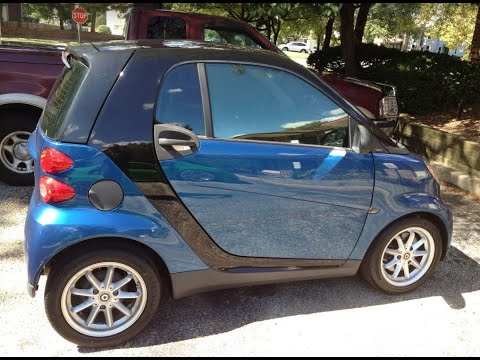
How do you remove the (outer) door panel on a Smart Fortwo? Before starting the removal work, disconnect the battery terminals located in the front e…
Other guides you may be interested in
|
Frequently Asked QuestionsHow to replace the battery in the key of the Opel Corsa F
To independently replace the battery inside the key of your Opel Corsa F, you only need a few minutes. All you have to do is carefully read the following guide and apply the described steps. First, ensure you have a small flat screwdriver and, of course, a new compatible button battery for your Opel Corsa F key. At this point, use the flat screwdriver to remove the rear cover of the key and take out the old battery. Finally, insert the new battery and close the cover. by ScegliAuto More videos
|
|
For advertising on this site Write to info@scegliauto.com
ScegliAuto is not responsible for any inaccuracy of the data in the lists. To report any inaccuracy or your business (if you own the business in question), please write to info@scegliauto.com
Number of seconds to generate the page: 0.072
(c) ScegliAuto 2026 - info@scegliauto.com - Privacy policy VAT number: IT01247470535 |
