
|
Do it yourself
| |||
| ||||


How to remove the door panel of the Smart
Model: Smart Smart
450
- Years 1998-2007
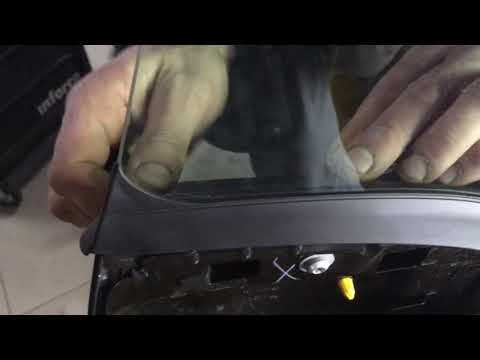
In this video we will see how to remove the driver's side door panel of the Smart first series. Let's start by removing the deflector, then unscrew the screws that we find in the space obtained, remembering to disconnect the power connectors. Let's now remove the rubber gasket. Then we unscrew the two screws in the door panel that hold the external handle in place, then we pull the external panel of the door by pulling it towards us. We remove the handle bush. Now let's go back inside and unhook the inside handle. We proceed to replace the sleeve and then reassemble the panel.
Posted on 24 December 2021 by ScegliAuto
Video tutorial
Related tutorials
Smart
(2007-2015 /
451)
Let's see the replacement of the outer door panel of a Smart Fortwo. We open the car door to access the screws for tightening the cover panel. Unscre…
Smart
(2007-2015 /
451)
In today's video tutorial we will see how to remove the outer door panel on a Smart Fortwo 451, second series, by following these simple steps. First…
Smart
(2014-2022 /
453)
In this video tutorial we will see how to assemble the door panel of a Smart 453. First the foam lining is inserted from the outside: after having mo…
Other guides you may be interested in
|
Frequently Asked QuestionsHow to Remove the Fuel Pump from a Hyundai IX35
How to remove the fuel pump from a Hyundai IX35. First, disconnect the battery cables, then remove the rear seat from the car. You will find various wiring and a metal piece with screws; that is what you need to dismantle. Undo the screws of the metal cap and remove it. Wrap the entire perimeter of the metal sheet with absorbent paper or cloth, then, with a screwdriver, undo the large bolt around the pump (if present for the model). Disconnect the power connectors and the liquid circulation pipes. Finally, extract the floating fuel pump. To perform the assembly, work in reverse order. by ScegliAuto More videos
|
For advertising on this site Write to info@scegliauto.com
ScegliAuto is not responsible for any inaccuracy of the data in the lists. To report any inaccuracy or your business (if you own the business in question), please write to info@scegliauto.com
Number of seconds to generate the page: 0.057
(c) ScegliAuto 2026 - info@scegliauto.com - Privacy policy VAT number: IT01247470535 |
