
|
Do it yourself
| |||
| ||||


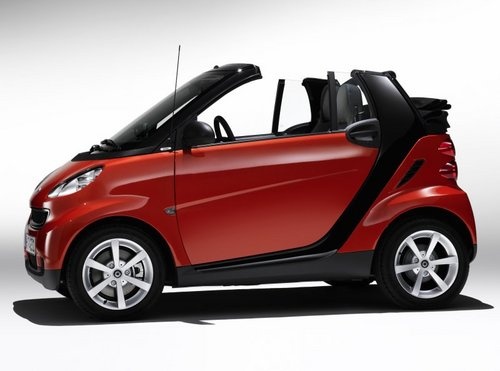
How to Install the Armrest on the Smart 451?
Model: Smart Smart
451
- Years:
2007, 2008, 2009, 2010, 2011, 2012, 2013, 2014, 2015
Video tutorial
To install the armrest on the seat of the Smart 451, tilt the corresponding seat backrest forward to lift the seat upholstery starting from the bottom. Once the upholstery is lifted, you can install the armrest support on the side of the backrest. After inserting the support, reposition the upholstery and make a hole so that the support protrudes on the outside; this will allow you to attach the armrest to the corresponding support.
Updated on 14 May 2026 by ScegliAuto
Related tutorials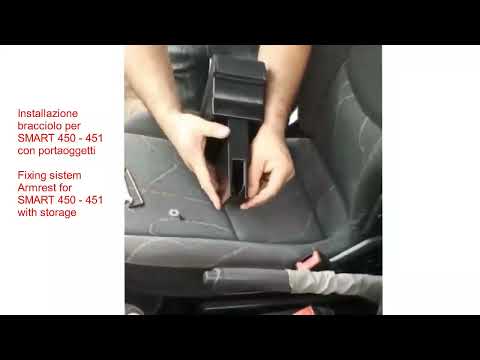
Smart
(2007-2015 /
451)
Let’s see how to easily install an armrest on a Smart 450/451 without making any holes. You can find it on Amazon for £46.99 (including delivery cost…

Smart
(2014-2022 /
453)
Below we will see the information that will allow us to install the armrest on the Smart Fortwo, in simple and quick steps. First, we get on board th…

Smart
(2014-2022 /
453)
To install the armrest on the Smart 453, insert the corresponding support into the central tunnel, fitting it into the housing formed by the cup hold…
Other guides you may be interested in |
Frequently Asked QuestionsHow to Reset the Tyre Pressure Warning Light on the Jeep Renegade?
To reset the tyre pressure warning light on the Jeep Renegade, inflate the tyres until they reach the recommended pressure: this value is indicated on the sticker attached to the driver’s door pillar. Once the tyres are properly inflated, navigate through the menu that appears on the instrument cluster until you find the tyre pressure option. At this point, press and hold the OK button on the right side of the steering wheel to make the warning light disappear. by ScegliAuto More videos
|
|
For advertising on this site Write to info@scegliauto.com
ScegliAuto is not responsible for any inaccuracy of the data in the lists. To report any inaccuracy or your business (if you own the business in question), please write to info@scegliauto.com
Number of seconds to generate the page: 0.029
(c) ScegliAuto 2026 - info@scegliauto.com - Privacy policy VAT number: IT01247470535 |
