
|
Do it yourself
| |||
| ||||


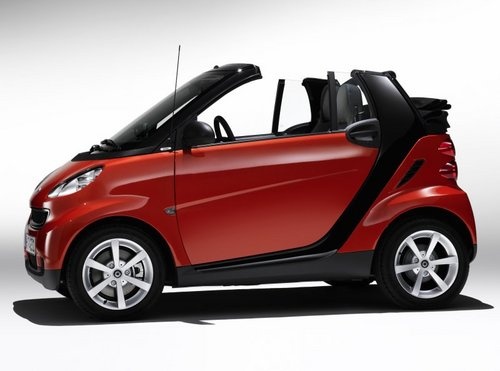
How to Top Up Oil in a Smart
Model: Smart Smart
451
- Years:
2007, 2008, 2009, 2010, 2011, 2012, 2013, 2014, 2015
Video tutorial
If you need to top up the oil in a Smart, you should know that the oil dipstick for checking the level is located at the back, in the boot. Lift the upholstery and the metal floor until you find the prominent yellow cap that hides the dipstick. From here, you can also top up the oil, using a funnel and synthetic oil. Use SAE 5W30 if you live in a colder climate, or SAE 10W40 if you live in a warmer area. The difference is minimal. One is better for lower temperatures initially, while the other is for higher temperatures, but both are valid.
Updated on 9 August 2026 by ScegliAuto
Related tutorials
Smart
(1998-2007 /
450)
In this tutorial, you will learn how to top up the engine oil in a Smart ForTwo, a very simple and quick operation. First, ensure that the engine is …

Smart
(1998-2007 /
450)
Learn how to refill the water (or rather, the specific fluid) in the windscreen washer of a Smart. At the front of the vehicle, there are two grilles…

Smart
(2007-2015 /
451)
Before starting, exit the cabin of your Smart ForTwo and head to the front of the car. Begin by prising off and removing the left front grille using …
Other guides you may be interested in |
How to reset the tyre pressure warning light on the Kia Niro EV?
To reset the tyre pressure warning light on the Kia Niro EV, inflate the tyres until they reach the correct pressure value. This value is indicated on the sticker attached to the driver's door pillar. Once the tyres are inflated, turn on the instrument cluster to check that the warning light has completely disappeared from the display. If it is still present, you may need to drive for a few miles to ensure it disappears completely from the screen. by ScegliAuto More videos
|
|
For advertising on this site Write to info@scegliauto.com
ScegliAuto is not responsible for any inaccuracy of the data in the lists. To report any inaccuracy or your business (if you own the business in question), please write to info@scegliauto.com
Number of seconds to generate the page: 0.026
(c) ScegliAuto 2026 - info@scegliauto.com - Privacy policy VAT number: IT01247470535 |
