
|
Do it yourself
| |||
| ||||


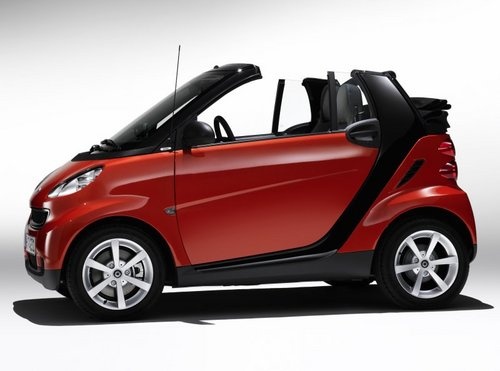
How to Disable Start & Stop on a Smart 451
Model: Smart Smart
451
- Years:
2007, 2008, 2009, 2010, 2011, 2012, 2013, 2014, 2015
Video tutorial
As you know, the starter belt on the Smart 451 is subject to severe wear. It is recommended to replace it after 37,000 miles, but it rarely lasts that long. In reality, it breaks between 12,000 and 25,000 miles, and if it happens on the motorway, it can overheat the engine causing severe damage. Therefore, not using Start & Stop can be a way to prolong its life. Here's how to do it: press the "off" button on the central console, and insert a paperclip against the button to simulate continuous pressure. This way, the Start & Stop system will always be disabled, simply and economically.
Updated on 11 August 2026 by ScegliAuto
Related tutorials
Smart
(2014-2022 /
453)
In this brief guide, you will learn how to activate and deactivate the Start&Stop system on the Smart Fortwo. First, get inside the vehicle and start…

Smart
(2014-2022 /
453)
In this guide, we will see the main instructions that will allow you to disable the Start&Stop system on the Smart Fortwo. First, get inside the vehi…

Smart
(2007-2015 /
451)
Permanently disabling the START&STOP system on the Smart 451 is a very simple operation, which can be done independently thanks to our brief video tu…
Other guides you may be interested in |
Frequently Asked QuestionsHow to Reset the Tire Pressure Light on a MG ZS?
On the instrument cluster of the MG ZS, the tire pressure light that appears can be reset by inflating the tires to the correct pressure: this value will be indicated on the sticker attached to the driver's door pillar. Once the tires have been properly inflated, you can turn on the instrument cluster and navigate through the menu until you find the option that indicates tire pressure: if this screen shows the new values, the light will turn off; otherwise, you will need to drive for a few miles so that the sensors can read the new values and turn off the light afterward. by ScegliAuto More videos
|
For advertising on this site Write to info@scegliauto.com
ScegliAuto is not responsible for any inaccuracy of the data in the lists. To report any inaccuracy or your business (if you own the business in question), please write to info@scegliauto.com
Number of seconds to generate the page: 0.027
(c) ScegliAuto 2026 - info@scegliauto.com - Privacy policy VAT number: IT01247470535 |
