
|
Do it yourself
| |||
| ||||


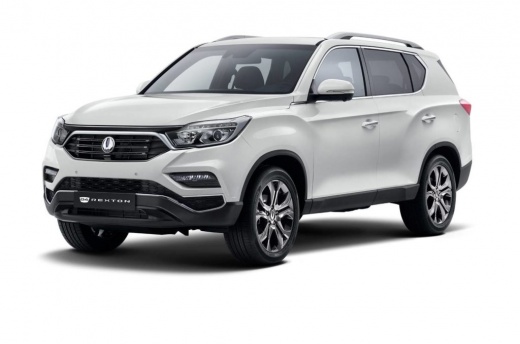
How to Remove the Radio from the Dashboard of a Ssangyong Rexton
Model: SsangYong Rexton
MK 2
- Years:
2017, 2018, 2019, 2020, 2021, 2022, 2023, 2024, 2025, 2026
Video tutorial
This video shows how to remove the radio from the dashboard of a Ssangyong Rexton. First, remove the upper dashboard cover using a plastic lever. Then, unscrew the screws on the panel with an appropriate screwdriver. Use the lever to detach the radio frame, and unscrew the dedicated screws. Unscrew the perimeter screws of the car stereo and pull it out of its housing. Finally, extract the stereo from the housing and disconnect the power cables, antenna, and fuse holder for the stereo. For installation, reverse the steps for the new stereo.
Updated on 1 March 2026 by ScegliAuto
Related tutorials
SsangYong Rexton
(2001-2017 /
MK 1)
In this tutorial, you will see how to replace the car radio in a SsangYong Rexton, a very simple and quick operation. First, ensure that the key is n…

SsangYong Rexton
(2001-2017 /
MK 1)
To remove the centre console of the dashboard, including the radio, use a plastic lever and start by unclipping the trim located just below the radio…

SsangYong Rexton
(2001-2017 /
MK 1)
In this video tutorial, you will see how to remove the 4x4 transfer button on a first-generation Ssangyong Rexton, in the 270 CDI version. First, get…
Other guides you may be interested in
|
How to Open the Hood of the BMW X3
Today, you will learn how to open and close the hood of the BMW X3. To perform this simple operation, lift the hood release lever located next to the door seal on the driver’s side. After pulling the lever, you will notice that the hood will lift slightly. Position yourself in front of the hood and lift it after moving the internal lever from left to right. To keep the hood secure during maintenance, use the side support rod. To close the hood, simply let it fall back into place. by ScegliAuto More videos
|
|
For advertising on this site Write to info@scegliauto.com
ScegliAuto is not responsible for any inaccuracy of the data in the lists. To report any inaccuracy or your business (if you own the business in question), please write to info@scegliauto.com
Number of seconds to generate the page: 0.106
(c) ScegliAuto 2026 - info@scegliauto.com - Privacy policy VAT number: IT01247470535 |
