
|
Do it yourself
| |||
| ||||


How to Reset the On-Board Computer in a Subaru XV
Model: Subaru Xv
MK 2
- Years 2017-2023
In this tutorial, you will see how to reset the on-board computer in a Subaru XV, a very simple and quick operation, to be done, for example, as a troubleshooting attempt or after a change of ownership. First, get inside the cabin, then insert the key and turn on the instrument cluster. Next, access the general menu on the touchscreen display, enter 'Settings', 'General', scroll down through the various options and select 'Factory Data Reset'. At this point, just confirm the choice and restart the vehicle.
Posted on 8 April 2026 by ScegliAuto
Video tutorial
Related tutorials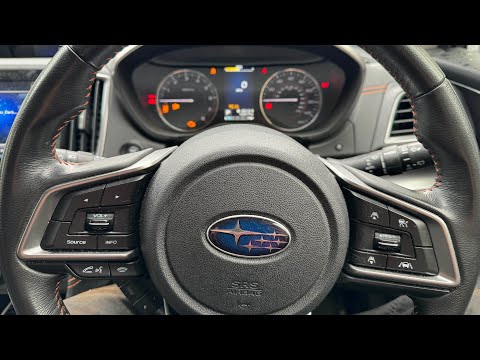
Subaru Xv
(2012-2017 /
MK 1)
To reset the "Service" light on a Subaru XV, you can follow a few steps directly from the car's onboard computer. Start by turning on the car and wai…

Subaru Xv
(2012-2017 /
MK 1)
Let's see how to reset the service light on a Subaru XV: turn on the ignition and use the button on the steering wheel to scroll through the menu: pr…

Subaru Xv
(2017-2023 /
MK 2)
Learn how to reset the TPMS light on the Subaru XV II model. After parking the car on a flat surface, turn on the ignition and use the controls on th…
Other guides you may be interested in
|
How to Bleed the Clutch on a Renault Clio?
To bleed the clutch on a Renault Clio, open the bonnet to access the components located in the engine bay: here, you will need to undo the screws that secure the battery in its housing, the intake manifold, and the coolant reservoir. This will allow you to locate the pipe through which the brake fluid flows: by inserting the other end of the pipe into a container, you can press the clutch pedal to expel all the fluid until it fills the container. by ScegliAuto More videos
|
|
For advertising on this site Write to info@scegliauto.com
ScegliAuto is not responsible for any inaccuracy of the data in the lists. To report any inaccuracy or your business (if you own the business in question), please write to info@scegliauto.com
Number of seconds to generate the page: 0.244
(c) ScegliAuto 2026 - info@scegliauto.com - Privacy policy VAT number: IT01247470535 |
