
|
Do it yourself
| |||
| ||||


|
Model: Suzuki Burgman 400
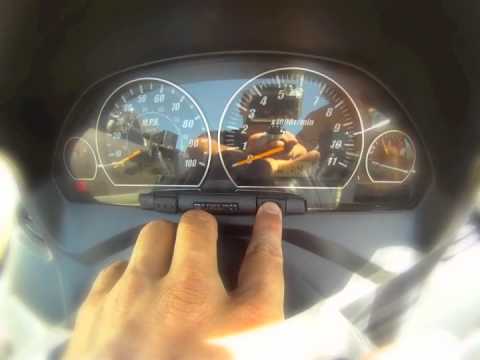
In today's article, we will see how to reset the oil change indicator light and the service indicator light on the Suzuki Burgman 400. For this operation, no tools or software are needed, and we recommend performing the procedure only after having had the vehicle serviced. To reset the indicator light, insert the key into the ignition without starting the engine. Once the key is inserted, press and hold the button on the right side of the dashboard as shown in the video tutorial. While holding the button, start the engine and continue to hold the button to reset the indicator. The light will start flashing and then turn off. When the light turns off, release the button and restart the engine.
Posted on 11 September 2025 by ScegliAuto
Video tutorial
Related tutorials
Burgman 400
If you own a 2005 Suzuki Burgman 400 and want to learn how to manually reset the oil light, then all you have to do is pay attention to the following…
Burgman 400
To reset the Oil Change light on a Suzuki Burgman 400, turn the key in the ignition switch: once the dashboard is illuminated, press and hold the but…

Burgman 400
Before starting, position your Suzuki Burgman 400 on the centre stand, then turn the front wheel to the right. Next, lean down near the front headlam…
|
How to Reset the Oil Service on the Yamaha YZF-R25?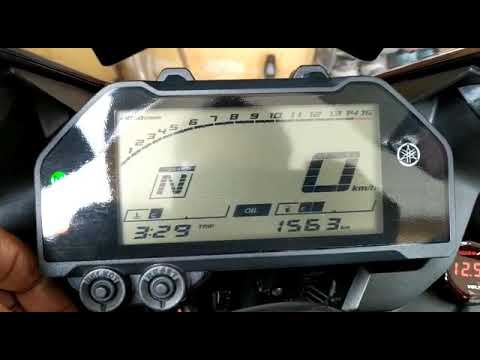
In this tutorial, see how to reset the oil service on the Yamaha YZF-R25, a very simple and quick operation. Before proceeding, ensure that all required scheduled maintenance tasks are completed. Start by inserting the key and turning on the instrument panel; it is not necessary to start the engine. Then, by repeatedly pressing the left button on the dashboard, navigate to the mileage interval labelled "OIL". Once done, press and hold the right button for about 5 seconds, or for the time necessary to reset the interval correctly. by ScegliAuto More videos
|
|
For advertising on this site Write to info@scegliauto.com
ScegliAuto is not responsible for any inaccuracy of the data in the lists. To report any inaccuracy or your business (if you own the business in question), please write to info@scegliauto.com
Number of seconds to generate the page: 0.005
(c) ScegliAuto 2026 - info@scegliauto.com - Privacy policy VAT number: IT01247470535 |
