
|
Do it yourself
| |||
| ||||


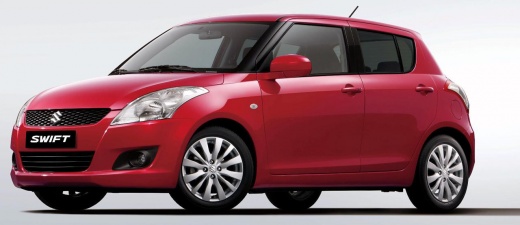
Programming the Suzuki Swift remote control
Model: Suzuki Swift
Rs41, AZG, MK 5
- Years 2010-2017
Let's see how to program the remote control for a Suzuki Swift: we will need the original remote control and the new one to be programmed. We completely open the driver's door (which will remain open throughout the process), and turn on the ignition; we wait 5 seconds and then press and hold the button on the remote control that we want to program. While holding down the button, we quickly perform the following steps: we close and reopen the driver's door three times in a row, then release the remote control button. If the programming was successful, the doors will automatically lock and unlock once. This is the confirmation signal that the remote control has been recognized by the control unit. To complete the entire sequence, no more than 30 seconds are needed.
Posted on 2 October 2025 by ScegliAuto
Video tutorial
Related tutorials
Suzuki Swift
(2017-2024 /
MK 6, A2L)
When the remote control of the 2023 Suzuki Swift stops working, it means that the remote control battery needs to be replaced. To perform this operat…

Suzuki Swift
(2010-2017 /
Rs41, AZG, MK 5)
In this video, we can see what to do if we realize that the remote control of our Suzuki Swift has suddenly run out of battery and we are not able to…

Suzuki Swift
(2017-2024 /
MK 6, A2L)
Today we will explain the steps to follow to replace the battery of the 2020 Suzuki Swift remote control. The first step is to remove the emergency m…
Other guides you may be interested in
|
How to Open a Stuck Boot on the Peugeot 407?
On the Peugeot 407, the boot may become stuck, possibly due to a problem with the control button or the lock actuator. In such cases, you can perform an emergency opening by following the simple procedure shown in this tutorial. First, open the rear doors, then lower the seat back by operating the release lever. Next, go inside the boot, locate the lock, and manually operate it using a flathead screwdriver. The boot will then be free to open. by ScegliAuto More videos
|
|
For advertising on this site Write to info@scegliauto.com
ScegliAuto is not responsible for any inaccuracy of the data in the lists. To report any inaccuracy or your business (if you own the business in question), please write to info@scegliauto.com
Number of seconds to generate the page: 0.178
(c) ScegliAuto 2026 - info@scegliauto.com - Privacy policy VAT number: IT01247470535 |
