
|
Do it yourself
| |||
| ||||


How do you replace the rear brake pads of the Sym Jet14 200i?
Model: Sym Jet14 200
Video tutorial
In order to replace the rear brake pads of the Sym Jet14 200i, you need to loosen the screws that secure the brake caliper corresponding to its housing, on the left side of the rear wheel at the transmission casing: once these screws are loosened, you can detach the brake caliper from the disc, removing the pin that secures the pads and then removing the pads themselves. At this point, you can insert the new pads, making sure they are properly secured: you can now reinsert the caliper and check that everything is working properly.
Posted on 3 May 2025 by ScegliAuto
Related tutorials
Jet14 200
Before you begin, sit on the seat of your Sym Jet14 200. Start by activating the instrument panel by turning the key in the ignition switch. Next, pr…

Jet14 200
To replace the spark plug on the Sym Jet14 200, you need to loosen the screws that secure the panel located at the rear of the footwell: once this pa…

Jet14 200
Follow the main steps to remove and replace the front mudguard of the Sym Jet14 200 scooter, as outlined below. First, place your scooter on the cent…
|
How to Reset the Oil Service on the Honda SH Mode 125 Scooter?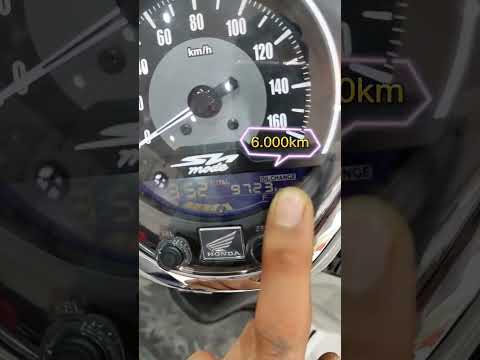
In this tutorial, you will see how to reset the oil service on the Honda SH Mode 125 scooter, a very simple and quick operation. Before proceeding, ensure you have completed all required scheduled maintenance tasks. Start by inserting the key but keep it in the initial position, then press and hold the "SET" button located at the bottom right of the dashboard, and simultaneously turn on the instrument panel. At this point, hold the button for about 3 seconds, or for as long as necessary for the service to reset correctly. by ScegliAuto More videos
|
|
For advertising on this site Write to info@scegliauto.com
ScegliAuto is not responsible for any inaccuracy of the data in the lists. To report any inaccuracy or your business (if you own the business in question), please write to info@scegliauto.com
Number of seconds to generate the page: 0.007
(c) ScegliAuto 2026 - info@scegliauto.com - Privacy policy VAT number: IT01247470535 |
