
|
Do it yourself
| |||
| ||||


How to Reset the Oil Check Light on the Sym HD 200?
Model: Sym Hd 200 Evo
Video tutorial
To reset the Oil Check light on the Sym HD 200, you need to extract the dipstick for checking the oil level. If the level is between the maximum and minimum indicated on the dipstick, you can proceed to reset the light. To do this, insert the ignition key and turn on the instrument panel; press the button located at the bottom right of the panel until the kilometres remaining until the oil change appears. By holding the same button down for a few seconds, the Oil Check light under the speedometer will turn off.
Updated on 25 April 2026 by ScegliAuto
Related tutorials
Hd 200 Evo
To reset the service light on the Sym HD 200 Evo, you need to pull out the dipstick for checking the oil level. If the oil is between the maximum and…

Hd 200 Evo
Today, follow these step-by-step instructions to change the engine oil and oil filter of the Sym HD 200 scooter. First, place the scooter on its cent…
Hd 200 Evo
In this short and simple guide, you will see how to change the transmission oil of the Sym HD 200 scooter. First, place your scooter on the centre st…
|
How to Change the Engine Oil in a Suzuki DR 350?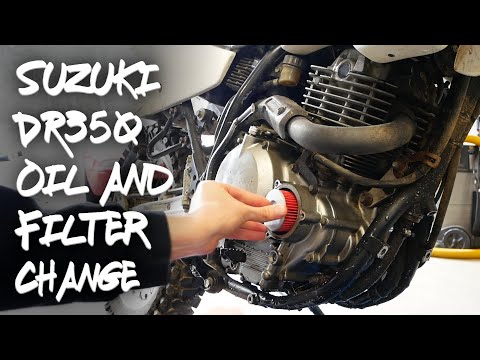
In this tutorial, you will see how to change the engine oil in a Suzuki DR 350, a very simple and quick operation. First, wait until the engine is cold enough, then remove the protective frame located at the bottom. Next, position a container underneath the bike, disconnect the indicated hose, and let all the oil in the system drain out. Then, open the filter housing by unscrewing the three bolts with an 8mm spanner, remove the old filter, and insert the replacement. At this point, you can reassemble everything and pour in the new oil through the designated hole. by ScegliAuto More videos
|
For advertising on this site Write to info@scegliauto.com
ScegliAuto is not responsible for any inaccuracy of the data in the lists. To report any inaccuracy or your business (if you own the business in question), please write to info@scegliauto.com
Number of seconds to generate the page: 0.005
(c) ScegliAuto 2026 - info@scegliauto.com - Privacy policy VAT number: IT01247470535 |
