
|
Do it yourself
| |||
| ||||


|
Model: Sym Maxsym Tl 500
If you want to manually change the time displayed on your Sym TL 500 dashboard, follow the instructions in this mini guide. First, insert the key and start the dashboard. Ensure that the total kilometres travelled are displayed (if not, press the appropriate button multiple times until you find the relevant display). At this point, locate the "M" button on the left side of the dashboard and hold it down. Now use the "S" button to change the hour digit. Repeat the same operation for the minute digit and hold down "M" one last time to save the changes.
Updated on 28 June 2026 by ScegliAuto
Video tutorial
Related tutorials
Maxsym Tl 500
To replace the air filter on the Sym MaxSym TL 500, you need to lift the panel located on the left side of the footwell. Once this panel is removed, …

Maxsym Tl 500
To perform an oil change on the Sym MaxSym TL 500, you will need to unscrew the drain plug located in the lower center of the motorcycle: once the pl…

Maxsym Tl 500
Unlike other motorcycle brands that place the battery inside the seat, the Sym Maxsym TL 500 model motorcycle places the battery inside the right sid…
|
How to reset the oil change light on a Suzuki Burgman 650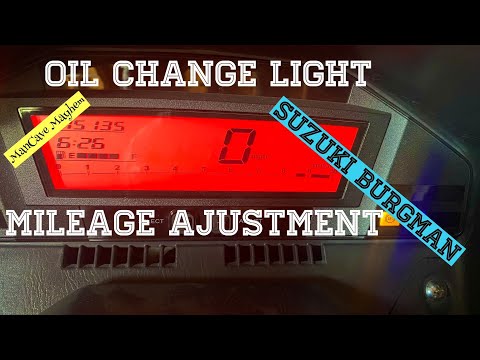
Reset the service light on a Suzuki Burgman 650 after completing the required services: First, turn on the ignition. Then, press the button on the left of the instrument panel four times until the mileage until the next service appears. Hold it down for a couple of seconds. On the right side of the instrument panel, there is another button. Press this for a couple of seconds, and the oil light will start to flash. Use the left button to gradually decrease the mileage until you reach the distance at which you want to change the oil again. The YouTuber sets it to 3,000 miles. To confirm, press and hold the left button, and the reset is complete. by ScegliAuto More videos
|
|
For advertising on this site Write to info@scegliauto.com
ScegliAuto is not responsible for any inaccuracy of the data in the lists. To report any inaccuracy or your business (if you own the business in question), please write to info@scegliauto.com
Number of seconds to generate the page: 0.006
(c) ScegliAuto 2026 - info@scegliauto.com - Privacy policy VAT number: IT01247470535 |
