
|
Do it yourself
| |||
| ||||


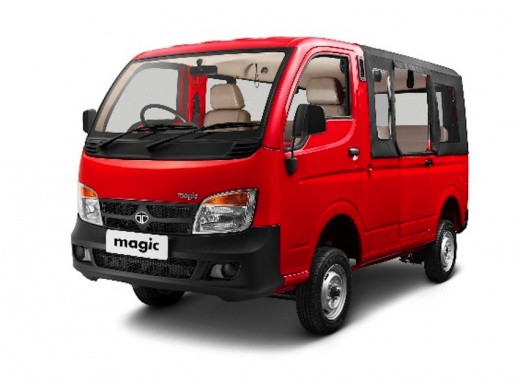
How to Clean and/or Replace the Air Filter on the Tata Magic?
Model: Tata Magic
MK 1
- Years:
2007, 2008, 2009, 2010, 2011, 2012, 2013, 2014, 2015, 2016, 2017, 2018
Video tutorial
To replace the engine air filter in your vehicle, follow these instructions: to access the compartment containing the filter, you need to remove the metal panel located at the rear of the loading area behind the cabin. Once you have unscrewed the fastening screws, you can access the box containing the filter, loosen the fastening screw of the air intake hose clamp, and detach the clips holding the box cover. At this point, you can clean or replace the filter. Finally, reposition the cover, secure the closing clips, and re-screw the hose clamp screw.
Updated on 25 June 2026 by ScegliAuto
Related tutorials
Tata Magic
(2007-2024 /
MK 1)
It's nice to travel while listening to music, and it's great when you can choose music from your smartphone and play it on your car radio. If you hav…
Tata Magic
(2007-2024 /
MK 1)
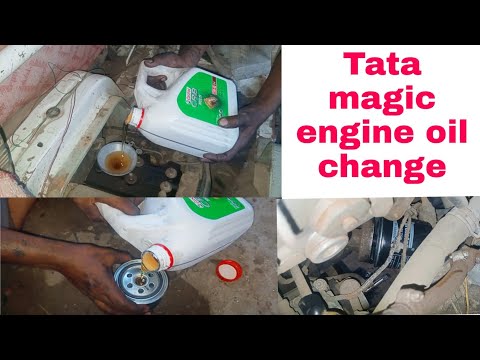
Here are the main instructions for changing the engine oil while performing routine maintenance on the Tata Magic. First, lift the vehicle and start …

Tata Magic
(2007-2024 /
MK 1)
To replace the engine air filter on this vehicle model, follow the instructions below for a correct replacement. The air filter is located inside the…
Other guides you may be interested in
|
How to Reset the Tyre Pressure Warning Light on the Jeep Renegade?
To reset the tyre pressure warning light on the Jeep Renegade, inflate the tyres until they reach the recommended pressure: this value is indicated on the sticker attached to the driver’s door pillar. Once the tyres are properly inflated, navigate through the menu that appears on the instrument cluster until you find the tyre pressure option. At this point, press and hold the OK button on the right side of the steering wheel to make the warning light disappear. by ScegliAuto More videos
|
|
For advertising on this site Write to info@scegliauto.com
ScegliAuto is not responsible for any inaccuracy of the data in the lists. To report any inaccuracy or your business (if you own the business in question), please write to info@scegliauto.com
Number of seconds to generate the page: 0.039
(c) ScegliAuto 2026 - info@scegliauto.com - Privacy policy VAT number: IT01247470535 |
