
|
Do it yourself
| |||
| ||||


How to Change the Time on a Toyota Yaris Hybrid
Model: Toyota Yaris
MK 4
- Years 2020-2026
To modify the time on your vehicle, follow these steps: turn on the ignition. On the central console, there is a touch display. On either side of the display, you will find physical buttons, including the "menu" button. Press this button, and the selection "set" will appear on the display. Click on this option, and the first item at the top will show "clock". Select this option, and you will be presented with the choice to update the time using GPS, adjust the time based on the time zone, or choose between 12-hour or 24-hour display formats.
Updated on 23 June 2026 by ScegliAuto
Video tutorial
Related tutorials
Toyota Yaris
(2020-2026 /
MK 4)
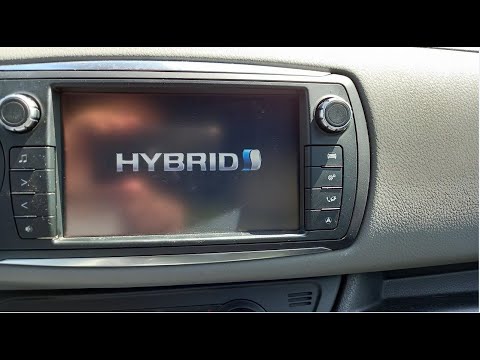
In this video we can see how to adjust the time on a Toyota Yaris Hybrid: the clock adjustment on this model is done through the multimedia screen, s…
Toyota Yaris
(2011-2019 /
Xp130)
This guide provides instructions to adjust the clock on the Toyota Yaris Hybrid, following these simple steps. First, get inside the vehicle and turn…

Toyota Yaris
(2005-2011 /
Xp90)
In this guide, you will find instructions on how to change the time on the display of the instrument cluster of a Toyota Yaris. First, get in the veh…
Other guides you may be interested in
|
How to Open a Stuck Boot on the Peugeot 407?
On the Peugeot 407, the boot may become stuck, possibly due to a problem with the control button or the lock actuator. In such cases, you can perform an emergency opening by following the simple procedure shown in this tutorial. First, open the rear doors, then lower the seat back by operating the release lever. Next, go inside the boot, locate the lock, and manually operate it using a flathead screwdriver. The boot will then be free to open. by ScegliAuto More videos
|
|
For advertising on this site Write to info@scegliauto.com
ScegliAuto is not responsible for any inaccuracy of the data in the lists. To report any inaccuracy or your business (if you own the business in question), please write to info@scegliauto.com
Number of seconds to generate the page: 0.107
(c) ScegliAuto 2026 - info@scegliauto.com - Privacy policy VAT number: IT01247470535 |
