
|
Do it yourself
| |||
| ||||



Cleaning and Checking the Function of the PCV Valve
Model: Toyota Rav 4
Xa30, MK 3
- Years:
2006, 2007, 2008, 2009, 2010, 2011, 2012, 2013
Video tutorial
The PCV valve (Positive Crankcase Ventilation) serves to reintroduce gases generated by combustion back into the combustion chamber rather than releasing them into the atmosphere, which has obvious environmental consequences, as these gases are contaminated with oil vapours and unburnt diesel; this phenomenon is known as blow-by, which occurs when gases in the combustion chamber are at maximum pressure and some pass through the piston rings to reach the bottom of the engine block. This leads to an increase in pressure beneath the piston crown and throughout the sump, creating resistance during the descent of the piston. Therefore, during regular fluid level checks, you can also clean and check the operation of this valve.
Updated on 19 February 2026 by ScegliAuto
Related tutorials
Toyota Rav 4
(2006-2013 /
Xa30, MK 3)
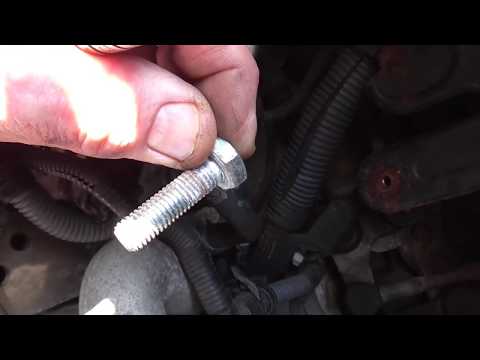
Remove the engine cover by unscrewing the 2 bolts. Now, at the top left, you can see the PCV valve and remove it by moving the clip and disconnecting…

Toyota Rav 4
(2006-2013 /
Xa30, MK 3)
How to remove the EGR valve on a Toyota Rav 4? Lift the bonnet and secure it. Then, using a screwdriver, unscrew the locking pins of the ventilation …
Toyota Rav 4
(2000-2006 /
MK 2, Xa20)
How do you remove the EGR valve mounted on a Toyota Rav 4? Lift the engine bonnet and secure it, then use a screwdriver to unscrew the locking bolts …
Other guides you may be interested in
|
How to Set the Time in an Audi A4?
In this tutorial, you will see how to set the time in an Audi A4, a very simple and quick operation to perform after replacing the battery or when the time changes. First, insert the key and turn on the instrument cluster. Then, press the "SETUP" button located on the center console. Next, press the upper left arrow button, navigate to the "Time" option, and use the central knob to adjust the clock. Finally, set any necessary formats and save by returning to the main screen. by ScegliAuto More videos
|
|
For advertising on this site Write to info@scegliauto.com
ScegliAuto is not responsible for any inaccuracy of the data in the lists. To report any inaccuracy or your business (if you own the business in question), please write to info@scegliauto.com
Number of seconds to generate the page: 0.024
(c) ScegliAuto 2026 - info@scegliauto.com - Privacy policy VAT number: IT01247470535 |
