
|
Do it yourself
| |||
| ||||


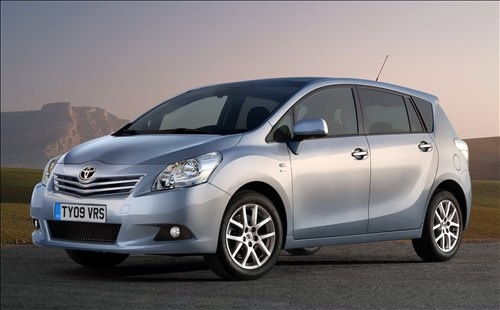
How to reset the TPMS of the Toyota Verso MK4
Model: Toyota Verso
MK 4
- Years 2009-2018
In this video we can see how to reset the tire pressure monitoring system light of the Toyota Verso MK4 version; unlike many other models, even from the same brand, for which it is necessary to go through a series of maneuvers or maybe look for the various submenus on the multimedia screen, here it is really simple. Next to the accelerator pedal, there is a specific button: we close the doors, turn on the instrument panel and then press this button for three seconds: we will see the light flashing and then turning off permanently. Of course, before that, we will have checked that the tire pressure was the recommended one on the label found on the driver's side door frame.
Posted on 29 June 2024 by ScegliAuto
Video tutorial
Related tutorials
Toyota Verso
(2009-2018 /
MK 4)
The instructions outlined in this guide will allow us to reset the tire pressure warning light on the Toyota Verso. Before performing the TPMS sensor…

Toyota Verso
(2009-2018 /
MK 4)
Let's see the useful information for resetting the tire pressure monitoring system (TPMS) light on the Toyota Verso; before performing the reset, it …

Toyota Verso
(2009-2018 /
MK 4)
Today's guide will show us the instructions for resetting the tire pressure warning light on the Toyota Verso; before resetting the TPMS sensors, it …
Other guides you may be interested in
|
Where is the Spare Wheel in the Peugeot 5008?
This video shows where the spare wheel is located in the Peugeot 5008 and how to access it, useful in case of a puncture. As shown, the wheel is not in the usual boot compartment but underneath it, outside the vehicle. To free the wheel, first gather the tools provided, then open the boot, locate the small indicated hatch, and open it. Next, loosen the bolt just released using the large socket wrench enough to lower the wheel to the ground. by ScegliAuto More videos
|
For advertising on this site Write to info@scegliauto.com
ScegliAuto is not responsible for any inaccuracy of the data in the lists. To report any inaccuracy or your business (if you own the business in question), please write to info@scegliauto.com
Number of seconds to generate the page: 0.235
(c) ScegliAuto 2026 - info@scegliauto.com - Privacy policy VAT number: IT01247470535 |
