
|
Do it yourself
| |||
| ||||


How do you reset a Chinese Android car radio?
Model: (Various brands) Various
Video tutorial
The car radio with Android system, but not only, at some point may present sporadic anomalies in reading music tracks, videos or anything else. This could be a consequence, for example, of a software update that did not go well, but unless it is problems related to electronic components, boards, circuits and so on, you can try a reset, just as shown in the video: with the car radio on, press Settings, System, Reset options and finally Erase all factory data. Now the software part has been completely cleaned.
Posted on 1 March 2025 by ScegliAuto
Related tutorials
(Various brands) Various
Reaching the hard reset of a car radio, in this specific case we focus on a Chinese Android model, is inevitable as an action if it no longer respond…
(Various brands) Various
If you have a low-cost Chinese car radio that is full of bugs and slow in operation, follow this advice. First, open the Play Store and search for th…

(Various brands) Various
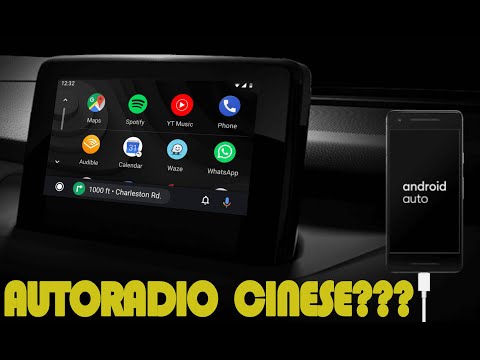
We are now accustomed to seeing on the car market aftermarket accessories from lesser-known brands and coming from China. An example is the car radio…
Other guides you may be interested in |
How to Remove the Rear Seat of a Hyundai Tucson?
To remove the rear seat of a Hyundai Tucson, follow these steps. Start by moving the front seats to their most forward position to gain space. Next, locate the release lever on the underside of the rear seat, near the floor. Press this lever down while pulling the seat upwards to unlock it from the anchor pins. Once unlocked, tilt the seat upwards and forwards to remove it from its position. Repeat this process for both sides of the rear seat. Be careful of any electrical cables or components that may be connected to the seat during removal. Once the rear seat is removed, the disassembly is complete. by ScegliAuto More videos
|
|
For advertising on this site Write to info@scegliauto.com
ScegliAuto is not responsible for any inaccuracy of the data in the lists. To report any inaccuracy or your business (if you own the business in question), please write to info@scegliauto.com
Number of seconds to generate the page: 0.041
(c) ScegliAuto 2026 - info@scegliauto.com - Privacy policy VAT number: IT01247470535 |
