
|
Do it yourself
| |||
| ||||


How to Reset the Oil Light on the Yamaha Majesty 400
Model: Yamaha Majesty 400
Video tutorial
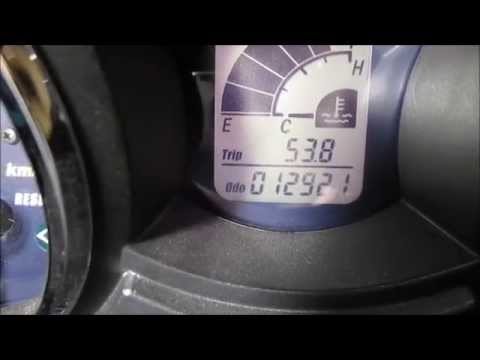
Manually resetting the engine oil light on your Yamaha Majesty 400 is very simple and takes just a few seconds. There is no need to consult your trusted mechanic, and the entire operation is within anyone's reach. First, ensure the engine and ignition are off. Next, locate the button beneath the speedometer and press it. While holding it down, insert the key and turn on the ignition. After about 4 seconds, release the button and press it once more immediately after. At this point, the reset is complete, and the warning light has disappeared permanently.
Updated on 8 May 2026 by ScegliAuto
Related tutorials
Majesty 400
If you have just changed the oil on your 2009 Yamaha Majesty 400 but the warning light continues to illuminate, you need to perform the following man…
Majesty 400
If you notice the drive belt warning light on the dashboard of your Yamaha Majesty 400, do not worry because with the following guide you will be abl…

Majesty 400
In this tutorial, you will see how to change the engine oil in a Yamaha Majesty 400 scooter, a very simple and quick operation. First, ensure that th…
|
How to Replace Engine Oil in the Husqvarna TE 610?
In this tutorial, you will see how to replace the engine oil in the Husqvarna TE 610, a very simple and quick operation. Before proceeding, wait for the engine to cool completely to operate safely. Start by removing the lower protection panel, then locate the drain bolt on the right side and loosen it using a 14 mm socket spanner. Once all the oil has drained from the system, remove the filter, clean it of any dirt residue, and reassemble everything. Finally, insert the required amount of oil through the upper hole. by ScegliAuto More videos
|
|
For advertising on this site Write to info@scegliauto.com
ScegliAuto is not responsible for any inaccuracy of the data in the lists. To report any inaccuracy or your business (if you own the business in question), please write to info@scegliauto.com
Number of seconds to generate the page: 0.008
(c) ScegliAuto 2026 - info@scegliauto.com - Privacy policy VAT number: IT01247470535 |
