
|
Do it yourself
| |||
| ||||


How to Reset the Service on a Kymco
Model: (Various brands) Various
If you have replaced the engine oil and filter on this scooter model, the description below contains all the information and steps necessary to perform the reset, and you can also refer to the images in the video. The first step is to turn the key and switch on the ignition. Press and hold the button located on the right handlebar, then press the Mode button at the bottom of the instrument panel to display the total mileage. Next, press and hold the reset button, also located at the bottom of the panel, until the service light turns off.
Updated on 21 July 2026 by ScegliAuto
Video tutorial
Related tutorials
(Various brands) Various
The Kymco Downtown scooter is subject, as it should be, to regular and periodic maintenance. Among the various tasks to be performed, certainly the s…
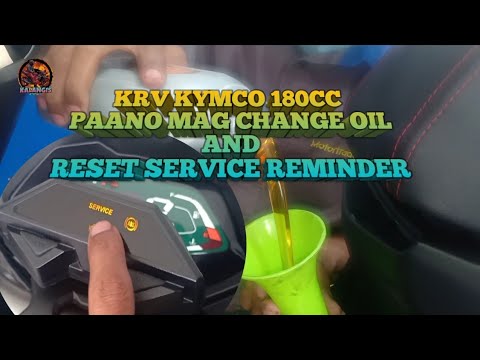
(Various brands) Various
Kymco mopeds, after a certain number of miles or after a specific time since the last service, remind the owner to perform a new service by illuminat…
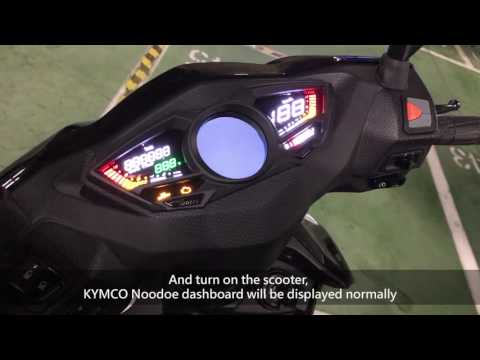
(Various brands) Various
To reset the Noodoe display on Kymco motorbikes, turn the ignition key to position two and simultaneously press the button located on the right side …
Other guides you may be interested in
|
Frequently Asked QuestionsWhere to Find the Fuses in the Nissan Qashqai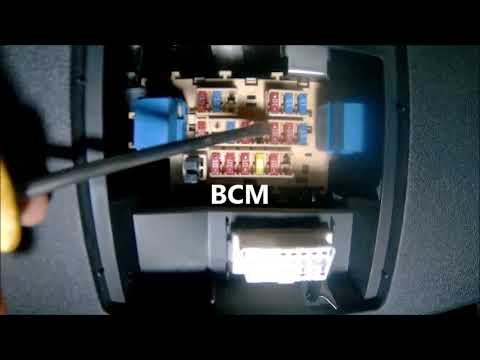
The fuse box in the Nissan Qashqai's cabin is located to the left of the steering wheel, where there is a small cover. Pull it off to access the fuse and relay box. To replace a fuse, if that is the cause of the issue, take a small pair of pliers and remove the fuse of the non-functioning component. Check that the bridge inside the fuse is not broken; if it is broken, replace the fuse with a new one of the same amperage as the old one. If the bridge is intact, the fuse is functioning correctly. by ScegliAuto More videos
|
|
For advertising on this site Write to info@scegliauto.com
ScegliAuto is not responsible for any inaccuracy of the data in the lists. To report any inaccuracy or your business (if you own the business in question), please write to info@scegliauto.com
Number of seconds to generate the page: 0.165
(c) ScegliAuto 2026 - info@scegliauto.com - Privacy policy VAT number: IT01247470535 |
