
|
Do it yourself
| |||
| ||||


How to replace the rear headlight bulb of a Volkswagen Vento?
Model: Volkswagen Vento
MK 4, A7
- Years:
2018, 2019, 2020, 2021, 2022, 2023, 2024
Video tutorial
To replace the rear headlight bulb of a Volkswagen Vento, start by turning off the vehicle and making sure the lights are off. Open the trunk and locate the internal access panel near the headlight you want to replace. Remove the panel carefully, being careful not to damage any clips or hooks. Once the access compartment is open, locate the bulb holder and unscrew it by turning it counterclockwise. Remove the bulb holder and locate the burnt out bulb. Remove the defective bulb by gently pulling it out or twisting it, depending on the model. Take the new bulb and insert it into the same housing, making sure it is securely in place. Put the bulb holder back in its original position and secure it by turning it clockwise. Replace the access panel and make sure it is securely closed. Finally, turn on the rear lights to verify that the new bulb is working correctly.
Posted on 9 January 2025 by ScegliAuto
Related tutorials
Volkswagen Vento
(2018-2024 /
MK 4, A7)
To replace the headlight bulb of a Volkswagen Vento, start by turning off the vehicle and making sure the headlights are cool to the touch. Open the …

Volkswagen Vento
(2010-2022 /
Polosedan, A05)
Today's instructions will guide you through the process of removing and replacing the steering wheel airbag of the Volkswagen Vento in simple and qui…
Volkswagen Vento
(2005-2011 /
A5, MK 2)
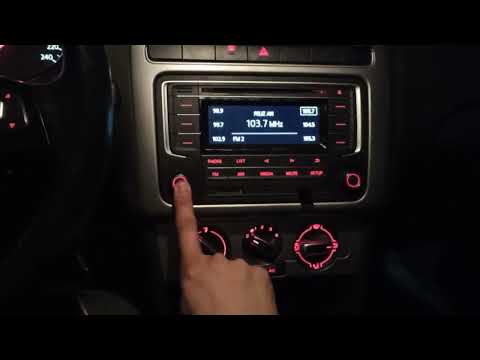
To reset the radio on a Volkswagen Vento, turn on the instrument panel by inserting and turning the key in the ignition. Once the panel is on, press …
Other guides you may be interested in
|
How to Reset the Tyre Pressure Light on a Cupra Formentor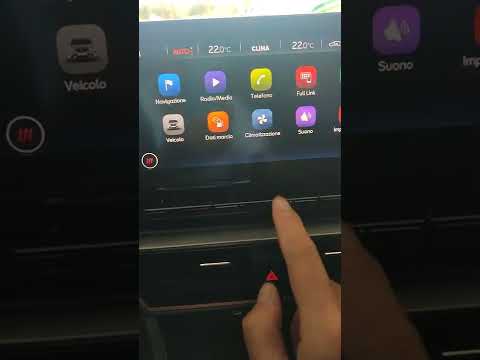
In this brief and simple video tutorial, learn how to reset the tyre pressure on a Cupra Formentor. Start by pressing the ignition button to turn on the instrument cluster. Now, use the touchscreen display on the central console to open the car menu. From here, select the driving data option, then the tyre pressure option. Now, click on the "SET" button with the pressure warning symbol and confirm the correct tyre pressure required by the manufacturer to perform the reset. by ScegliAuto More videos
|
|
For advertising on this site Write to info@scegliauto.com
ScegliAuto is not responsible for any inaccuracy of the data in the lists. To report any inaccuracy or your business (if you own the business in question), please write to info@scegliauto.com
Number of seconds to generate the page: 0.187
(c) ScegliAuto 2026 - info@scegliauto.com - Privacy policy VAT number: IT01247470535 |
