
|
Do it yourself
| |||
| ||||


Replacement of Climate Control Button Illumination Bulb
Model: Volkswagen Golf
Golf IV, Golf 4, MK 4
- Years:
1997, 1998, 1999, 2000, 2001, 2002, 2003
Video tutorial
The illumination bulb for the climate control buttons (knobs) is a T5 bulb (12V, 1.2W) with a glass base and is located just behind the central knob (the one that controls the speed of the internal fan). This knob is simply clipped in: to remove it, just pull it out (it is suggested to use pliers with the tips covered in insulating tape to avoid damaging the knob itself). Once the knob is removed, the T5 bulb is located right in the centre: to replace it, simply pull it out of the bulb holder by pulling it forward (it is suggested to use narrow-nosed pliers also covered with insulating tape). At this point, insert the new bulb (again using the narrow-nosed pliers), turn on the lights to ensure it works, and reposition the knob.
Updated on 3 February 2026 by ScegliAuto
Related tutorials
Volkswagen Golf
(2003-2008 /
Golf 5, MK 5, Golf V)
On the vehicle in question, it is possible to reset the climate control system related to airflow deviators. To do this, proceed as follows: turn on …

Volkswagen Golf
(1997-2003 /
Golf IV, Golf 4, MK 4)
How to remove the air conditioning knobs to replace the manual illumination bulbs on a Volkswagen Golf? This video shows you how to proceed. Remove t…
Volkswagen Golf
(2003-2008 /
Golf 5, MK 5, Golf V)
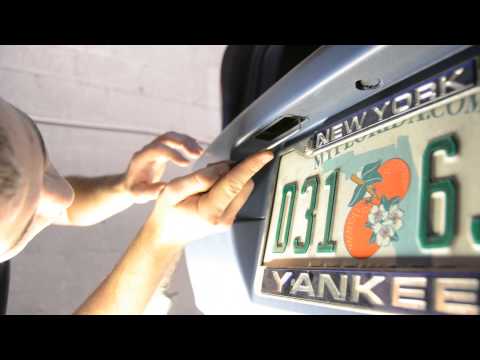
How do you replace the number plate lights of a Volkswagen Golf 5? This video shows how to replace the damaged bulbs. Use a screwdriver or lever to r…
Other guides you may be interested in |
How to Reset the Tire Pressure Light on a MG ZS?
On the instrument cluster of the MG ZS, the tire pressure light that appears can be reset by inflating the tires to the correct pressure: this value will be indicated on the sticker attached to the driver's door pillar. Once the tires have been properly inflated, you can turn on the instrument cluster and navigate through the menu until you find the option that indicates tire pressure: if this screen shows the new values, the light will turn off; otherwise, you will need to drive for a few miles so that the sensors can read the new values and turn off the light afterward. by ScegliAuto More videos
|
|
For advertising on this site Write to info@scegliauto.com
ScegliAuto is not responsible for any inaccuracy of the data in the lists. To report any inaccuracy or your business (if you own the business in question), please write to info@scegliauto.com
Number of seconds to generate the page: 0.018
(c) ScegliAuto 2026 - info@scegliauto.com - Privacy policy VAT number: IT01247470535 |
