
|
Do it yourself
| |||
| ||||


How do you remove the center console of the Volkswagen Golf 4?
Model: Volkswagen Golf
Golf IV, MK 4, Golf 4
- Years 1997-2003
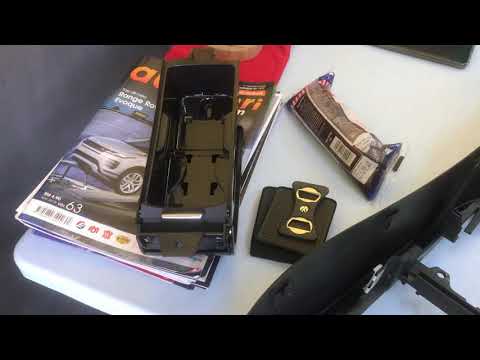
Let's see in a few simple steps, how to disassemble, thanks to the help provided by this video tutorial, the central console of a Volkswagen Golf 4. We start by removing the radio, using special levers to insert laterally, in order to release the locks and extract it from its seat, then we remove the glove compartment, the decorative strips, and underneath them we unscrew the fixing pins of the air conditioning controls, also removing these. At this point, all that remains is to pull away the entire frame, from the dashboard, containing all the previously mentioned elements and the work is finished.
Posted on 25 March 2025 by ScegliAuto
Video tutorial
Related tutorials
Volkswagen Golf
(2012-2019 /
Golf VII, MK 7, Golf 7)
The following steps will show us how to disassemble the central console of the Volkswagen Golf. First, we get into the car and start by removing the …

Volkswagen Golf
(1983-1992 /
MK 2, Golf 2)
In this tutorial we can see how to disassemble the central console in the Volkswagen Golf, an extremely simple and quick operation. First of all, go …
Volkswagen Golf
(2008-2012 /
MK 6, Golf VI, Golf 6, 5K1)
In this video, learn how to remove the centre console of the dashboard from the sixth series Volkswagen Golf, following the instructions below. First…
Other guides you may be interested in
|
How to Connect the Cables to the Battery of the Citroen Xsara Picasso?
In this tutorial, you will see how to connect the cables to the battery of the Citroen Xsara Picasso, useful if you need to recharge it or perform an emergency start. First, ensure the key is not inserted, then open the bonnet and move to the front of the left headlamp. Next, locate the bolt just behind the filter box and connect the positive terminal clamp to it. Now you can connect the negative terminal to any point on the chassis, such as the indicated point. Once the operation is complete, ensure you disconnect the negative first and then the positive. by ScegliAuto More videos
|
|
For advertising on this site Write to info@scegliauto.com
ScegliAuto is not responsible for any inaccuracy of the data in the lists. To report any inaccuracy or your business (if you own the business in question), please write to info@scegliauto.com
Number of seconds to generate the page: 0.075
(c) ScegliAuto 2026 - info@scegliauto.com - Privacy policy VAT number: IT01247470535 |
