
|
Do it yourself
| |||
| ||||


How to deactivate and activate the alarm system of the Volkswagen Multivan
Model: Volkswagen Multivan
T6
- Years 2015-2024
In this short guide, we will see the main instructions that will allow us to activate and deactivate the anti-theft system of the Volkswagen Multivan. The anti-theft system can be activated by the remote control, closing the vehicle and holding down the locking button for a few seconds; in the same way, we will then deactivate this system from the remote control, holding down the opening button, as shown in the video. In the vehicle settings, it is also possible to deactivate or activate the alarm or anti-theft system, being able to reactivate it at any time.
Posted on 19 August 2025 by ScegliAuto
Video tutorial
Related tutorials
Volkswagen Multivan
(2021-2026 /
MK 4, T7)
In order to deactivate the alarm of the Volkswagen Multivan, you need to connect a diagnostic tool to the OBD port of the vehicle: in this type of ve…
Volkswagen Multivan
(2003-2015 /
T5, MK 2)
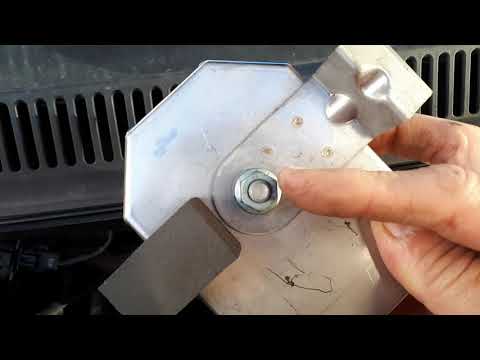
As shown in the video, disconnecting the alarm connected to the horn is a simple and quick operation. You will need two spanners: one 10 mm and one 1…

Volkswagen Multivan
(2021-2026 /
MK 4, T7)
The activation, as well as the deactivation, of the alarm installed in the Volkswagen Multivan T7 is done using the remote control, the classic metho…
Other guides you may be interested in
|
How to reset the tyre pressure warning light on a Hyundai Tucson
Below are the instructions to reset the tyre pressure warning light (TPMS) on a Hyundai Tucson. First, get into the vehicle and turn on the instrument cluster; then navigate to the vehicle settings until you reach the tyre pressure monitor, identifying the tyre with incorrect pressure. At this point, restore all tyre pressures according to the specifications indicated on the label; this will reset the TPMS and the warning light will be cleared from the instrument cluster! by ScegliAuto More videos
|

|
For advertising on this site Write to info@scegliauto.com
ScegliAuto is not responsible for any inaccuracy of the data in the lists. To report any inaccuracy or your business (if you own the business in question), please write to info@scegliauto.com
Number of seconds to generate the page: 0.146
(c) ScegliAuto 2026 - info@scegliauto.com - Privacy policy VAT number: IT01247470535 |
