
|
Do it yourself
| |||
| ||||


How do you reset the Climatronic of the Volkswagen Golf 4?
Model: Volkswagen Golf
Golf IV, MK 4, Golf 4
- Years 1997-2003
Unless the air conditioning system of our Volkswagen Golf 4 has a malfunction due to the breakage of some components or elements, such as the compressor etc, an attempt to restore to resolve a temporary anomaly is possible. Regarding this topic, let's see below what can be tried: You must simultaneously press the Econ button and the first button, starting from the left, of the air conditioning system keyboard, waiting for the small display to turn off. That's it, the procedure is complete and we will not have to do anything else but turn on the system and test its operation.
Posted on 21 November 2025 by ScegliAuto
Video tutorial
Related tutorials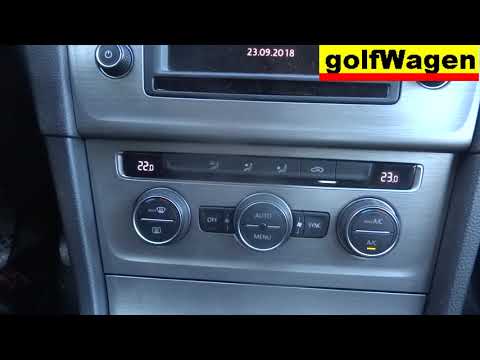
Volkswagen Golf
(2012-2019 /
Golf VII, MK 7, Golf 7)
To reset the Climatronic in the Volkswagen Golf 7, turn the ignition key in the ignition switch to power up the instrument cluster and the climate co…

Volkswagen Golf
(2003-2008 /
MK 5, Golf 5, Golf V)
On the Volkswagen Golf, the installed Climatronic can be reset by turning on the instrument cluster, inserting the key into the ignition and turning …

Volkswagen Golf
(1997-2003 /
Golf IV, MK 4, Golf 4)
The procedure for resetting the Climatronic on the Volkswagen Golf involves inserting and turning the ignition key into the appropriate slot, so that…
Other guides you may be interested in
|
How to reset the tyre pressure warning light on a Hyundai Tucson
Below are the instructions to reset the tyre pressure warning light (TPMS) on a Hyundai Tucson. First, get into the vehicle and turn on the instrument cluster; then navigate to the vehicle settings until you reach the tyre pressure monitor, identifying the tyre with incorrect pressure. At this point, restore all tyre pressures according to the specifications indicated on the label; this will reset the TPMS and the warning light will be cleared from the instrument cluster! by ScegliAuto More videos
|
|
For advertising on this site Write to info@scegliauto.com
ScegliAuto is not responsible for any inaccuracy of the data in the lists. To report any inaccuracy or your business (if you own the business in question), please write to info@scegliauto.com
Number of seconds to generate the page: 0.245
(c) ScegliAuto 2026 - info@scegliauto.com - Privacy policy VAT number: IT01247470535 |
