
|
Do it yourself
| |||
| ||||


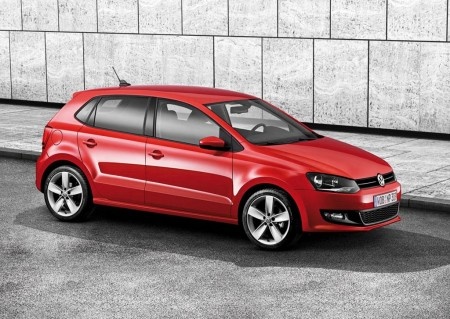
How to start the car if the remote battery is dead.
Model: Volkswagen Polo
6R, MK V, Polo 5, Polo V, MK 5
- Years:
2009, 2010, 2011, 2012, 2013, 2014, 2015, 2016, 2017
Video tutorial
Let's see in this video how to start your car in any case, even with a dead remote. In the video, we see an example with a Volkswagen Polo, but it works the same way for all vehicles: only the location where you place the key to start changes. In fact, each car has its designated spot. To enter, we opened the vehicle with the emergency key found inside the remote, which we can use in the lock on the driver's door. Then, we bring the key close to the sensor, which in this case is located at the bottom of the steering wheel, and then we press the start button, and the car will start anyway.
Posted on 1 January 2026 by ScegliAuto
Related tutorials
Volkswagen Polo
(2009-2017 /
6R, MK V, Polo 5, Polo V, MK 5)
In this tutorial, you will see how to unlock the locks of a Volkswagen Polo if the remote battery is completely dead. First, extend the emergency met…

Volkswagen Polo
(2001-2009 /
MK IV, Polo 4, 9N, MK 4, Polo IV)
Follow this guide to replace the battery in the key remote of a Volkswagen Polo. Take your remote and press the key release button on the metal key. …

Volkswagen Polo
(2009-2017 /
6R, MK V, Polo 5, Polo V, MK 5)
Let's dismantle and replace the battery of the Volkswagen Polo key remote in simple and quick steps. First, take the remote in your hand and start re…
Other guides you may be interested in
|
How to Open the Fuel Flap on a Volkswagen Tiguan?
To open the fuel flap on a Volkswagen Tiguan, first unlock the car using the appropriate button on the remote. This will open the car and unlock the mechanism that controls the fuel flap. At this point, apply light pressure to the left side of the flap to open it and access the cap underneath. Once this is unscrewed, you can refuel and then close everything. by ScegliAuto More videos
|
|
For advertising on this site Write to info@scegliauto.com
ScegliAuto is not responsible for any inaccuracy of the data in the lists. To report any inaccuracy or your business (if you own the business in question), please write to info@scegliauto.com
Number of seconds to generate the page: 0.146
(c) ScegliAuto 2026 - info@scegliauto.com - Privacy policy VAT number: IT01247470535 |
