
|
Do it yourself
| |||
| ||||



How to Retrieve Items Fallen Behind the Centre Console of the Volkswagen Golf MK7
Model: Volkswagen Golf
Golf 7, Golf VII, MK 7
- Years:
2012, 2013, 2014, 2015, 2016, 2017, 2018, 2019
Video tutorial
Learn how to retrieve small items that have fallen behind the centre console of the Volkswagen Golf VII: start by moving the front seats all the way back and then forward to create space on both sides of the console. Remove the small front storage compartment by opening the flip door: pull firmly upwards to unclip it. Be careful, as behind this compartment are the electrical connectors for the USB port and audio input, which must be disconnected. Remove the gear knob by gripping it at the base and pulling it up firmly; unclip the side panels of the console (these are the soft plastic panels running along the sides of the centre console), starting from the rear end and pulling towards the interior of the cabin to unclip the clips. Remove the torx screws at the front of the tunnel, disconnect all electrical connectors, and pull the entire insert towards the steering wheel until it comes out of the rear locking pin. This way, you will retrieve the items without damage. For reassembly, proceed in reverse order and be careful not to drop small items from now on.
Posted on 18 May 2026 by ScegliAuto
Related tutorials
Volkswagen Golf
(2012-2019 /
Golf 7, Golf VII, MK 7)
In today's tutorial, you will learn how to remove the centre console of a seventh-generation Volkswagen Golf. First, get inside the car and remove th…

Volkswagen Golf
(2012-2019 /
Golf 7, Golf VII, MK 7)
Here’s how to remove the glove compartment from a Volkswagen Golf MK7: open the glove compartment and observe the retaining pins. On either side of t…

Volkswagen Golf
(2012-2019 /
Golf 7, Golf VII, MK 7)
These brief and simple steps will illustrate the procedure for disassembling and replacing the glove compartment of a Volkswagen Golf. First, open th…
ScegliAuto offers an extensive international collection of automotive tutorials available in 12 languages. Each guide combines instructional videos with original explanations written by experienced human editors, along with information about the car models covered.
Other guides you may be interested in
|
Resetting the Service Light on the Mitsubishi Canter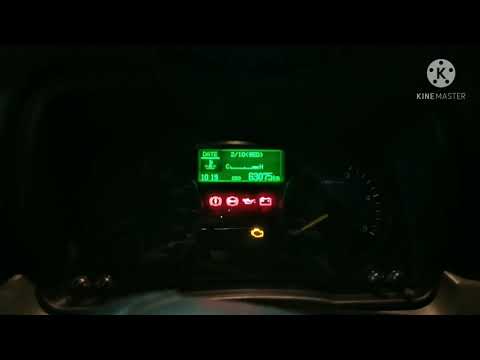
When it is necessary to change the engine oil of the Mitsubishi Canter, a warning on the dashboard alerts us to this requirement. Once this maintenance task is completed, you must reset the control system. Sit in the driver's seat and turn on the instrument panel. Without starting the engine, press and hold the accelerator pedal for twenty seconds. After this time interval, while still holding the accelerator pedal, pump the brake pedal six times. Once done, the warning on the instrument panel will turn off, confirming the reset. by ScegliAuto More videos
|
|
For advertising on this site Write to info@scegliauto.com
ScegliAuto is not responsible for any inaccuracy of the data in the lists. To report any inaccuracy or your business (if you own the business in question), please write to info@scegliauto.com
Number of seconds to generate the page: 0.036
(c) ScegliAuto 2026 - info@scegliauto.com - Privacy policy - About us VAT number: IT01247470535 |
