
|
Do it yourself
| |||
| ||||


Removing the Centre Console of a Volkswagen Golf 7
Model: Volkswagen Golf
Golf VII, MK 7, Golf 7
- Years 2012-2019
In today's tutorial, you will learn how to remove the centre console of a seventh-generation Volkswagen Golf. First, get inside the car and remove the glove box cover and the plastic trim by detaching it by hand. Next, take out the glove box and disconnect the gear lever gaiter. Then, remove the Torx screws with a screwdriver to detach the other pieces. At this point, remove the side plastics by prying with something thin, and take off the centre console plastic by disconnecting the electrical connector found underneath.
Updated on 1 April 2026 by ScegliAuto
Video tutorial
Related tutorials
Volkswagen Golf
(2008-2012 /
MK 6, Golf VI, Golf 6, 5K1)
Today's instructions will illustrate the procedure for dismantling and replacing the window switches or switch panel on a Volkswagen Golf in simple s…
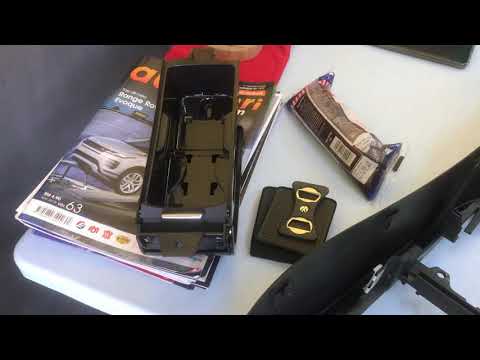
Volkswagen Golf
(2008-2012 /
MK 6, Golf VI, Golf 6, 5K1)
In this video, learn how to remove the centre console of the dashboard from the sixth series Volkswagen Golf, following the instructions below. First…

Volkswagen Golf
(2003-2008 /
MK 5, Golf 5, Golf V)
To adjust the handbrake on a Volkswagen Golf V, start by removing the cup holder and lifting the cover of the central console; under the removed cove…
Other guides you may be interested in |
How to reset the tyre pressure warning light on a Hyundai Tucson
Below are the instructions to reset the tyre pressure warning light (TPMS) on a Hyundai Tucson. First, get into the vehicle and turn on the instrument cluster; then navigate to the vehicle settings until you reach the tyre pressure monitor, identifying the tyre with incorrect pressure. At this point, restore all tyre pressures according to the specifications indicated on the label; this will reset the TPMS and the warning light will be cleared from the instrument cluster! by ScegliAuto More videos
|

|
For advertising on this site Write to info@scegliauto.com
ScegliAuto is not responsible for any inaccuracy of the data in the lists. To report any inaccuracy or your business (if you own the business in question), please write to info@scegliauto.com
Number of seconds to generate the page: 0.273
(c) ScegliAuto 2026 - info@scegliauto.com - Privacy policy VAT number: IT01247470535 |
