
|
Do it yourself
| |||
| ||||



How to Change the Engine Oil in a Volkswagen Golf
Model: Volkswagen Golf
MK 7, Golf 7, Golf VII
- Years:
2012, 2013, 2014, 2015, 2016, 2017, 2018, 2019
Video tutorial
To replace the engine oil in a Volkswagen Golf, park the car on a flat surface and safely lift it to access the underside of the engine. Place a collection tray under the oil sump and remove the filler cap in the engine bay. Then, unscrew the drain plug located under the sump and allow the used oil to drain completely. Once drained, reinstall the drain plug and check the condition of the corresponding seal. Pour the new oil through the filler neck using the recommended quantity for the engine. Check the level using the dipstick or the vehicle's electronic system and add oil if necessary. Start the engine for a few seconds, switch it off, and check the level again, ensuring there are no leaks around the drain plug.
Posted on 7 June 2026 by ScegliAuto
Related tutorials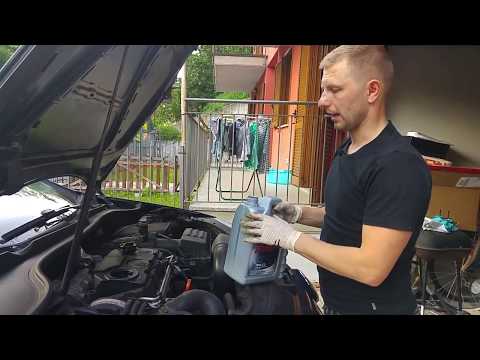
Volkswagen Golf
(2003-2008 /
Golf 5, MK 5, Golf V)
Today, I will show you how to change the engine oil and filter on your Volkswagen Golf. It is not a very complex operation; just be careful. First, r…

Volkswagen Golf
(2008-2012 /
Golf 6, MK 6, 5K1, Golf VI)
See how to change the engine oil and filter on the Volkswagen Golf V diesel: Lift the car and place it on two sturdy axle stands, raise the bonnet an…

Volkswagen Golf
(2003-2008 /
Golf 5, MK 5, Golf V)
How to replace the engine oil filter on a Volkswagen Golf? Follow these steps: lift the car on a column lift and remove the bolt from the oil sump, a…
Other guides you may be interested in
|
How to Set the Time in an Audi A4?
In this tutorial, you will see how to set the time in an Audi A4, a very simple and quick operation to perform after replacing the battery or when the time changes. First, insert the key and turn on the instrument cluster. Then, press the "SETUP" button located on the center console. Next, press the upper left arrow button, navigate to the "Time" option, and use the central knob to adjust the clock. Finally, set any necessary formats and save by returning to the main screen. by ScegliAuto More videos
|
|
For advertising on this site Write to info@scegliauto.com
ScegliAuto is not responsible for any inaccuracy of the data in the lists. To report any inaccuracy or your business (if you own the business in question), please write to info@scegliauto.com
Number of seconds to generate the page: 0.054
(c) ScegliAuto 2026 - info@scegliauto.com - Privacy policy VAT number: IT01247470535 |
