
|
Do it yourself
| |||
| ||||


Removing Window Winder Handle on Volkswagen Polo
Model: Volkswagen Polo
MK IV, Polo IV, Polo 4, MK 4, 9N
- Years 2001-2009
Today, you will learn how to remove the window winder handle of a Volkswagen Polo 9N, second series; the removal process is very simple and does not require any tools. First, open the rear door and simply pull the handle with some force to extract it. Some car models have a metal ring that holds the handle in place: in this case, remove this type of clip before pulling the handle. For reassembly, just insert it and secure it (you will hear a click). Finally, put on the retaining ring (for models that have one).
Updated on 2 April 2026 by ScegliAuto
Video tutorial
Related tutorials
Volkswagen Polo
(2001-2009 /
MK IV, Polo IV, Polo 4, MK 4, 9N)
Here are the main instructions on how to remove and replace the rear window regulator handle and mechanism on a Volkswagen Polo. First, open the rear…
Volkswagen Polo
(1994-2003 /
MK III, Polo III, Polo 3, MK 3, 6N)
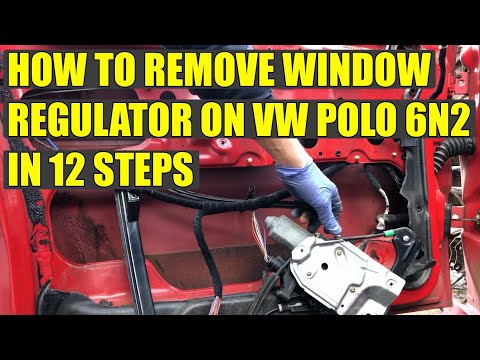
In this video tutorial, learn how to remove the window regulator motor from a first series Volkswagen Polo, the 6N2. First, open the door and remove …

Volkswagen Polo
(2017-2025 /
Polo VI, Polo 6, MK 6, AW1, MK VI)
Today's instructions will show us how to disassemble the door panel of the Volkswagen Polo. First, we open the door and start by removing the plastic…
Other guides you may be interested in
|
How to reset the tyre pressure warning light on the Dacia Sandero?
To reset the tyre pressure warning light on the Dacia Sandero, inflate all the tyres to the pressure indicated on the label on the driver's door. Once the tyres are inflated, turn on the ignition and navigate through the menu using the controls on the right side of the steering wheel. Scroll with the arrows to find the tyre pressure option: by holding down the OK button located on the right side of the steering wheel, you can reset the warning light. by ScegliAuto More videos
|
|
For advertising on this site Write to info@scegliauto.com
ScegliAuto is not responsible for any inaccuracy of the data in the lists. To report any inaccuracy or your business (if you own the business in question), please write to info@scegliauto.com
Number of seconds to generate the page: 0.244
(c) ScegliAuto 2026 - info@scegliauto.com - Privacy policy VAT number: IT01247470535 |
