
|
Do it yourself
| |||
| ||||


Removing the Third Brake Light on Golf 5
Model: Volkswagen Golf
MK 5, Golf 5, Golf V
- Years 2003-2008
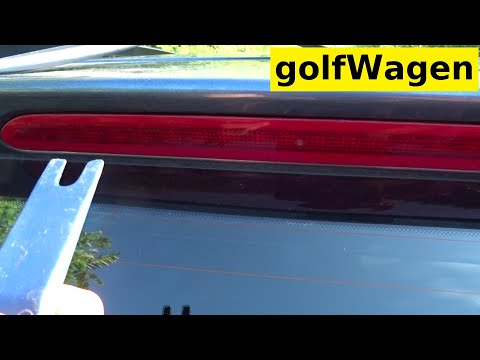
How to remove the third brake light on a Golf 5? Let's see how to take the piece out from inside the tailgate. Use a small screwdriver to pry at the side plastics of the light: release the side plastic clips. Once the light is free from any constraints, you can detach it from above the tailgate (disconnect the relevant power connectors). Fit the new light: connect the power connector, insert the light into the tailgate (after fitting the bulbs), and secure the light inside the tailgate metalwork. Test the light's operation.
Updated on 5 April 2026 by ScegliAuto
Video tutorial
Related tutorials
Volkswagen Golf
(2003-2008 /
MK 5, Golf 5, Golf V)
The following steps will show us how to disassemble and replace the third brake light and its bulbs on a Volkswagen Golf. First, move to the back and…
Volkswagen Golf
(2012-2019 /
Golf VII, MK 7, Golf 7)
Today, follow the steps to remove and replace the third brake light or its bulbs on a seventh-generation Volkswagen Golf; this procedure can be appli…

Volkswagen Golf
(2008-2012 /
MK 6, Golf VI, Golf 6, 5K1)
Today we will discover the instructions that will allow us to disassemble and replace the third brake light and its bulbs of the Volkswagen Golf. Fir…
Other guides you may be interested in |
How to reset the tyre pressure warning light on the Dacia Sandero?
To reset the tyre pressure warning light on the Dacia Sandero, inflate all the tyres to the pressure indicated on the label on the driver's door. Once the tyres are inflated, turn on the ignition and navigate through the menu using the controls on the right side of the steering wheel. Scroll with the arrows to find the tyre pressure option: by holding down the OK button located on the right side of the steering wheel, you can reset the warning light. by ScegliAuto More videos
|
|
For advertising on this site Write to info@scegliauto.com
ScegliAuto is not responsible for any inaccuracy of the data in the lists. To report any inaccuracy or your business (if you own the business in question), please write to info@scegliauto.com
Number of seconds to generate the page: 0.072
(c) ScegliAuto 2026 - info@scegliauto.com - Privacy policy VAT number: IT01247470535 |
