
|
Do it yourself
| |||
| ||||


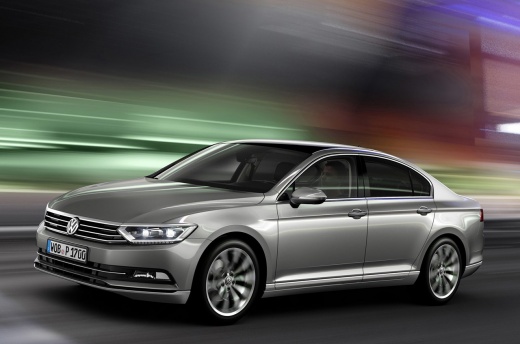
How to Replace the Remote Battery on a Volkswagen Passat?
Model: Volkswagen Passat
MK 8, 3G, B8
- Years:
2014, 2015, 2016, 2017, 2018, 2019, 2020, 2021, 2022, 2023
Video tutorial
To replace the remote battery on a Volkswagen Passat, pry open the side groove of the device to detach the plastic cover from the back. Once the cover is removed, access the underlying battery, which must be freed from its housing. Insert the new battery into its housing and cover it with the appropriate cover. Finally, check that the device works correctly.
Updated on 25 May 2026 by ScegliAuto
Related tutorials
Volkswagen Passat
(2010-2014 /
B7)
To replace the key fob battery on a Volkswagen Passat B7, press the button located on the side of the chrome trim at the top of the fob. By pressing …

Volkswagen Passat
(2014-2023 /
MK 8, 3G, B8)
To replace the battery in the Volkswagen Passat B8 remote control, use a small flat-head screwdriver to pry open the groove on the chrome part of the…

Volkswagen Passat
(2014-2023 /
MK 8, 3G, B8)
You can replace the battery in the remote for a Volkswagen Passat by using a tool to pry off the key fob from the top of the device: once this has be…
ScegliAuto offers an extensive international collection of automotive tutorials available in 12 languages. Each guide combines instructional videos with original explanations written by experienced human editors, along with information about the car models covered.
Other guides you may be interested in |
Frequently Asked QuestionsHow to reset the tyre pressure warning light on the Toyota Yaris Hybrid?
To reset the tyre pressure warning light on the Toyota Yaris Hybrid, inflate the tyres until they reach the optimal pressure value: the recommended pressure is indicated on the sticker located on the driver's door pillar. Once inflated, navigate through the menu that appears on the instrument cluster: select the option related to tyre pressure and proceed to select the reset option. After completing the operation, you can turn off the ignition. by ScegliAuto More videos
|
|
For advertising on this site Write to info@scegliauto.com
ScegliAuto is not responsible for any inaccuracy of the data in the lists. To report any inaccuracy or your business (if you own the business in question), please write to info@scegliauto.com
Number of seconds to generate the page: 0.138
(c) ScegliAuto 2026 - info@scegliauto.com - Privacy policy - About us VAT number: IT01247470535 |
