
|
Do it yourself
| |||
| ||||


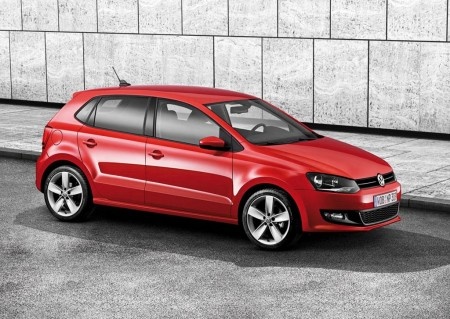
How to Reset the Service Light on the Volkswagen Polo 6R
Model: Volkswagen Polo
6R, MK V, Polo 5, Polo V, MK 5
- Years:
2009, 2010, 2011, 2012, 2013, 2014, 2015, 2016, 2017
Video tutorial
If the service light on your Volkswagen Polo 6R (2009-2017) illuminates despite having already serviced the vehicle, do not worry as you just need to follow this simple reset procedure. First, enter the cabin and close all doors. Next, insert the key, press and hold the "0.0/Set" button located in the lower centre of the cluster, and start it. Finally, release the "0.0/Set" button and press the clock button once. Once done, the reset is complete, and you can turn off the ignition.
Updated on 29 June 2026 by ScegliAuto
Related tutorials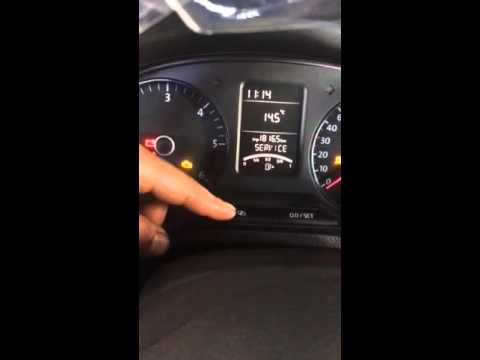
Volkswagen Polo
(2009-2017 /
6R, MK V, Polo 5, Polo V, MK 5)
Here’s how to reset the service light on a Volkswagen Polo. To reset the maintenance service light, turn on the vehicle's instrument cluster, use the…

Volkswagen Polo
(2009-2017 /
6R, MK V, Polo 5, Polo V, MK 5)
In this guide, discover how to reset the service light for the routine maintenance oil change on the Volkswagen Polo. First, get into the vehicle and…

Volkswagen Polo
(2001-2009 /
MK IV, Polo 4, 9N, MK 4, Polo IV)
You can completely eliminate the Service light from the instrument panel of a Volkswagen Polo by holding down the Trip button while the ignition key …
Other guides you may be interested in
|
How to Replace the Rear Light Bulb on a Citroen C5
To replace the rear light bulb on a 2015 Citroën C5, open the boot of the vehicle and remove the side carpet to access the inside of the light unit. Disconnect the light connector and remove the screw. Take out the light unit and proceed to replace the stop light bulb. Open the light housing and replace the bulb. Follow the same procedure for the right rear light bulb. Once the replacement is complete, refit the light unit, reconnect the connector, and close the side carpet. If the bulb does not work correctly, check the fuse related to the light before replacing it again. by ScegliAuto More videos
|
|
For advertising on this site Write to info@scegliauto.com
ScegliAuto is not responsible for any inaccuracy of the data in the lists. To report any inaccuracy or your business (if you own the business in question), please write to info@scegliauto.com
Number of seconds to generate the page: 0.147
(c) ScegliAuto 2026 - info@scegliauto.com - Privacy policy VAT number: IT01247470535 |
