
|
Do it yourself
| |||
| ||||


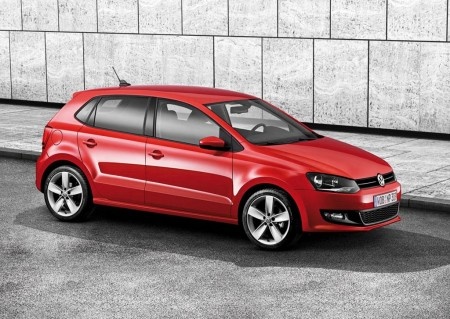
How to Replace the Radio Antenna on a Volkswagen Polo 5
Model: Volkswagen Polo
6R, MK V, Polo 5, Polo V, MK 5
- Years:
2009, 2010, 2011, 2012, 2013, 2014, 2015, 2016, 2017
Video tutorial
If the radio antenna on your Volkswagen Polo Mk5 (2009-2017) is damaged or excessively worn and you want to replace it, simply read the following guide carefully and follow the described steps. First, park the car safely and turn it off completely. Next, go outside and remove the antenna by rotating it counter-clockwise. Now take the new replacement antenna and install it by rotating it clockwise. Check for any lateral play and finally, test the radio's proper functioning.
Updated on 6 July 2026 by ScegliAuto
Related tutorials
Volkswagen Polo
(1994-2003 /
Polo 3, MK III, 6N, Polo III, MK 3)
To replace the antenna on a Volkswagen Polo, open the rear hatch of the car to detach the headlining at the back. Once the panel under the roof is re…
Volkswagen Polo
(2009-2017 /
6R, MK V, Polo 5, Polo V, MK 5)
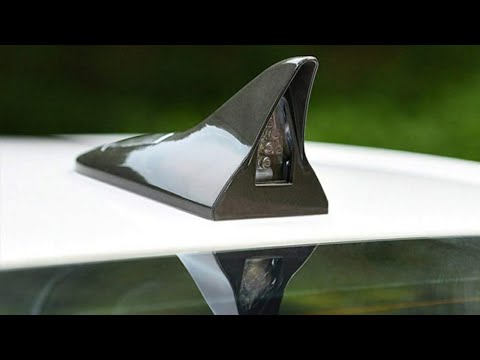
In this video tutorial, you will see how to replace the antenna on a Volkswagen Polo 1.2 L Highline by following a few simple steps: use a cleaning s…
Volkswagen Polo
(2009-2017 /
6R, MK V, Polo 5, Polo V, MK 5)
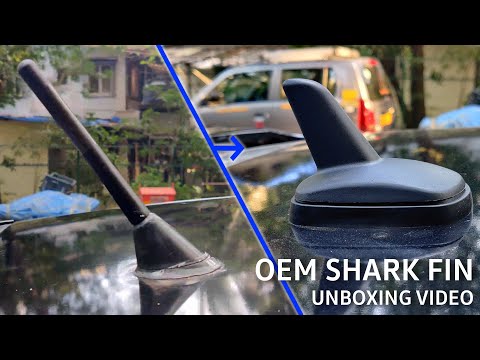
If you want to personalise your vehicle by replacing the standard antenna with a shark fin model, proceed as follows: you can purchase an aftermarket…
Other guides you may be interested in
|
How to reset the Service light on a 2019 Jeep Renegade?
The Service light, depicted as a yellow spanner, illuminates as scheduled to remind the driver that it is time for scheduled maintenance. This means that the set mileage has been reached, or the expected time has passed. The procedure involves turning on the instrument cluster, pressing the accelerator three times, and then turning off the ignition. After this, keep the brake pressed, turn the ignition back on, and then turn it off again. Upon the next ignition, you will notice that the light has been reset. by ScegliAuto More videos
|
|
For advertising on this site Write to info@scegliauto.com
ScegliAuto is not responsible for any inaccuracy of the data in the lists. To report any inaccuracy or your business (if you own the business in question), please write to info@scegliauto.com
Number of seconds to generate the page: 0.059
(c) ScegliAuto 2026 - info@scegliauto.com - Privacy policy VAT number: IT01247470535 |
