
|
Do it yourself
| |||
| ||||



How to Connect a Dash Cam 24/7 on a Volkswagen Tiguan
Model: Volkswagen Tiguan
BW, MK 2, AD
- Years 2016-2025
Video tutorial
Detailed instructions - To connect a dash cam to your vehicle, you only need a USB socket, and it's a very easy job. However, the USB socket only works when the vehicle is on. We want our vehicle to monitor itself 24/7. The Philips camera, as shown in the video, can be found on major e-commerce platforms for £144.93, but there are options at all price points. You will need to get some fuse taps (20 for £8.50) and a 12V USB power adapter (costing £6.99). Run the camera's power cable through the vehicle's roof and then between the seal and the driver's pillar, entering the fuse box where the adapter is connected to the camera (male/female). The YouTuber shows exactly where he placed the fuse tap, connecting the positive to the fuse and the negative to a bolt for grounding. This way, the camera is powered 24 hours a day, so if the car is new, you will have surveillance, keeping you safe from vandalism or theft attempts.
Updated on 25 July 2026 by ScegliAuto
Related tutorials
Volkswagen Tiguan
(2016-2025 /
BW, MK 2, AD)
In this guide, we will see the instructions that will allow us to install the dash cam or camera on the dashboard of the Volkswagen Tiguan. First, we…

Volkswagen Tiguan
(2016-2025 /
BW, MK 2, AD)
To install the dashcam on the Volkswagen Tiguan, use an object to pry off the plastic cover located behind the internal rear-view mirror. Once remove…
Volkswagen Tiguan
(2016-2025 /
BW, MK 2, AD)
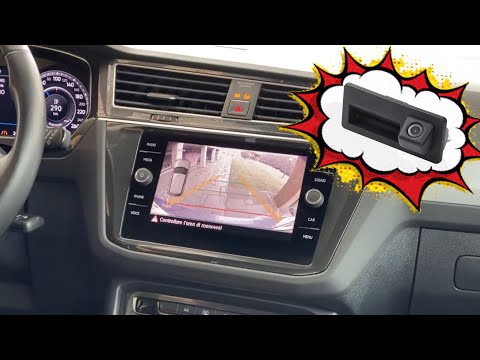
To install a reversing camera on the Volkswagen Tiguan, open the boot compartment and remove the CD player using the appropriate tools. This will all…
Other guides you may be interested in
|
How to set the time in a Toyota Auris?
In this tutorial, you will see how to set the time in a Toyota Auris, a very simple and quick operation to perform, for example, after disconnecting the battery or switching between standard and daylight saving time. First, enter the cabin, then turn on the instrument cluster and, by quickly pressing the left button on the dashboard, access the "SETUP" screen. Next, hold down the same button to enter the section, go to "CLOCK" and adjust the clock as needed. To save the setting, simply return to the main screen. by ScegliAuto More videos
|
|
For advertising on this site Write to info@scegliauto.com
ScegliAuto is not responsible for any inaccuracy of the data in the lists. To report any inaccuracy or your business (if you own the business in question), please write to info@scegliauto.com
Number of seconds to generate the page: 1.118
(c) ScegliAuto 2026 - info@scegliauto.com - Privacy policy VAT number: IT01247470535 |
